TUTA S30 GSM POWER SOCKET USER MANUAL
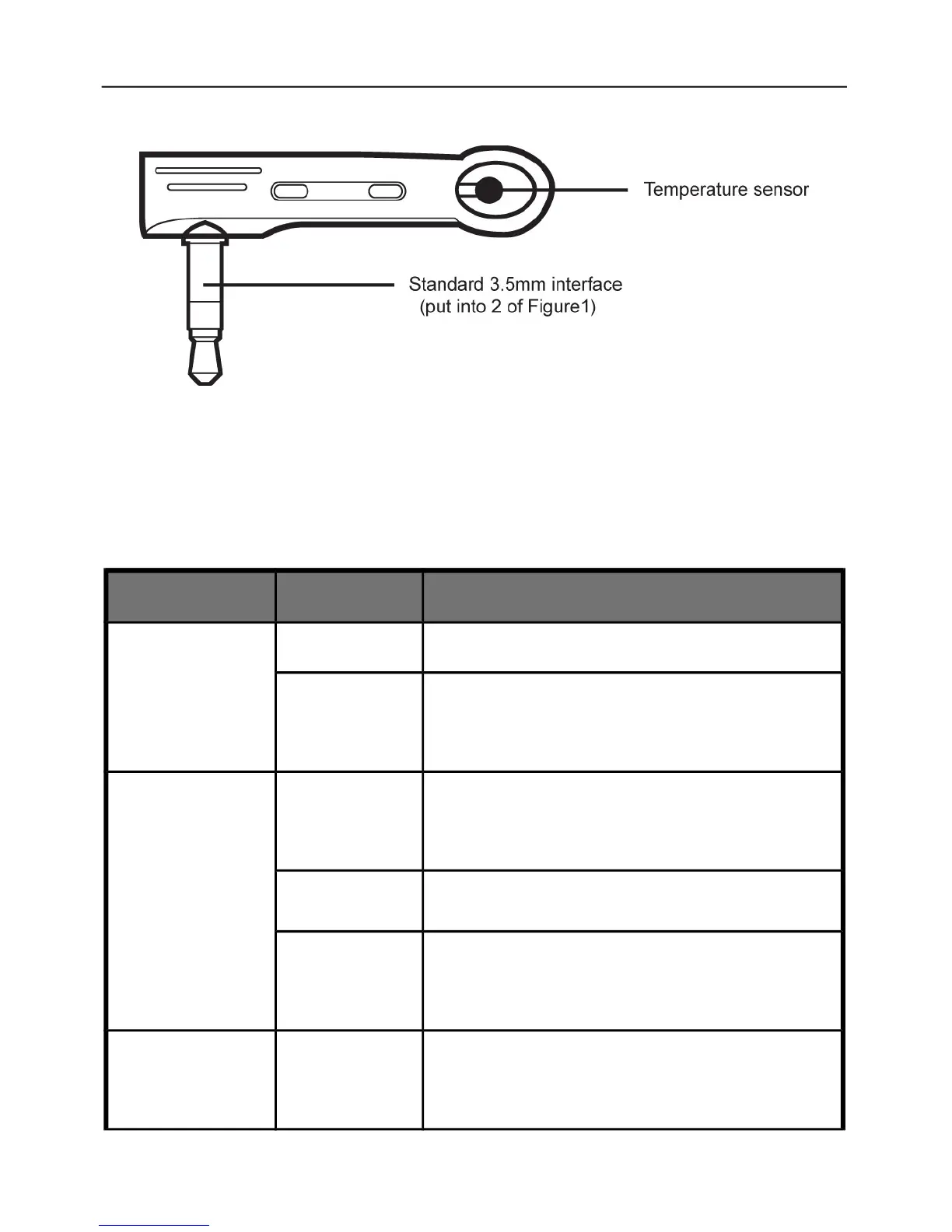
Figure 2: Temperature sensor Instruction
1.4 Light indicator and “Beep” warning tone
Indicator Action Status
Power
(Green) light
Turning off No power supply input
Constant
light
Has power supply input
GSM (Blue)
light
Turning off Not installed SIM card, or the power
switch of socket is “OFF”.
Flash Be busy or searching GSM network.
Constant
light
Successfully load to GSM network.
Output (Red)
light
Constant
light
The socket outlet has power supply.


 To Next Page