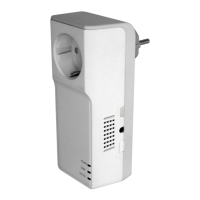
TUTA S30 GSM POWER SOCKET USER MANUAL
Check “delayed switch on/off the socket” parameters: #138# (38)
After receiving the SMS commands, TUTA S30 will reply one SMS
message of “Delayed switch on/off the socket” parameters checking:
Status: ON/OFF
Output will switch off/on after ** minutes.
Check “Timing switch on the socket” parameters: #128# (39)
After receiving the SMS commands, TUTA S30 will reply one SMS
message of “Timing switch on the socket” parameters:
Schedule control: function ON/OFF
WorkDay, StartTime-EndTime.
Check “Temperature control” parameters: #159# (40)
After receiving the SMS commands, TUTA S30 will reply one SMS
message of temperature parameters checking:
Status: ON/OFF
Temp control: function ON/OFF
Temp: **
Mode: Heating/Cooling
Range: LowTemp ~ HighTemp
If “No temperature sensor connected” be received, it means TUTA
S30 cannot detect the temperature sensor. User needs to check if
the temperature sensor is inserted to the I/O port.


 To Next Page