30
Lightburn Software
Configure the device
connection software
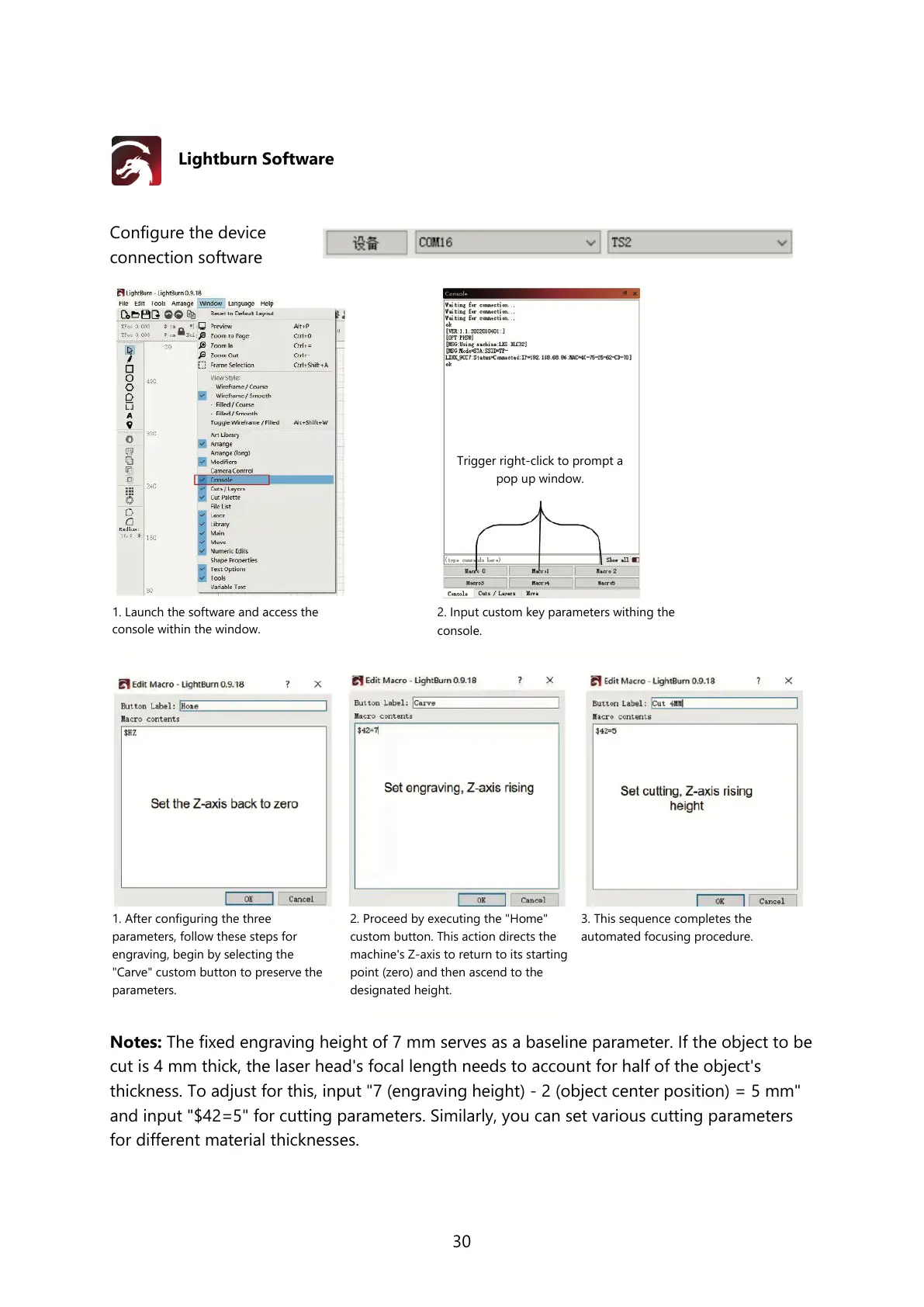
Notes: The fixed engraving height of 7 mm serves as a baseline parameter. If the object to be
cut is 4 mm thick, the laser head's focal length needs to account for half of the object's
thickness. To adjust for this, input "7 (engraving height) - 2 (object center position) = 5 mm"
and input "$42=5" for cutting parameters. Similarly, you can set various cutting parameters
for different material thicknesses.
1. After configuring the three
parameters, follow these steps for
engraving, begin by selecting the
"Carve" custom button to preserve the
parameters.
2. Proceed by executing the "Home"
custom button. This action directs the
machine's Z-axis to return to its starting
point (zero) and then ascend to the
designated height.
3. This sequence completes the
automated focusing procedure.
1. Launch the software and access the
console within the window.
2. Input custom key parameters withing the
console.
Trigger right-click to prompt a
pop up window.



 To Next Page