10
RETURN TO HOME
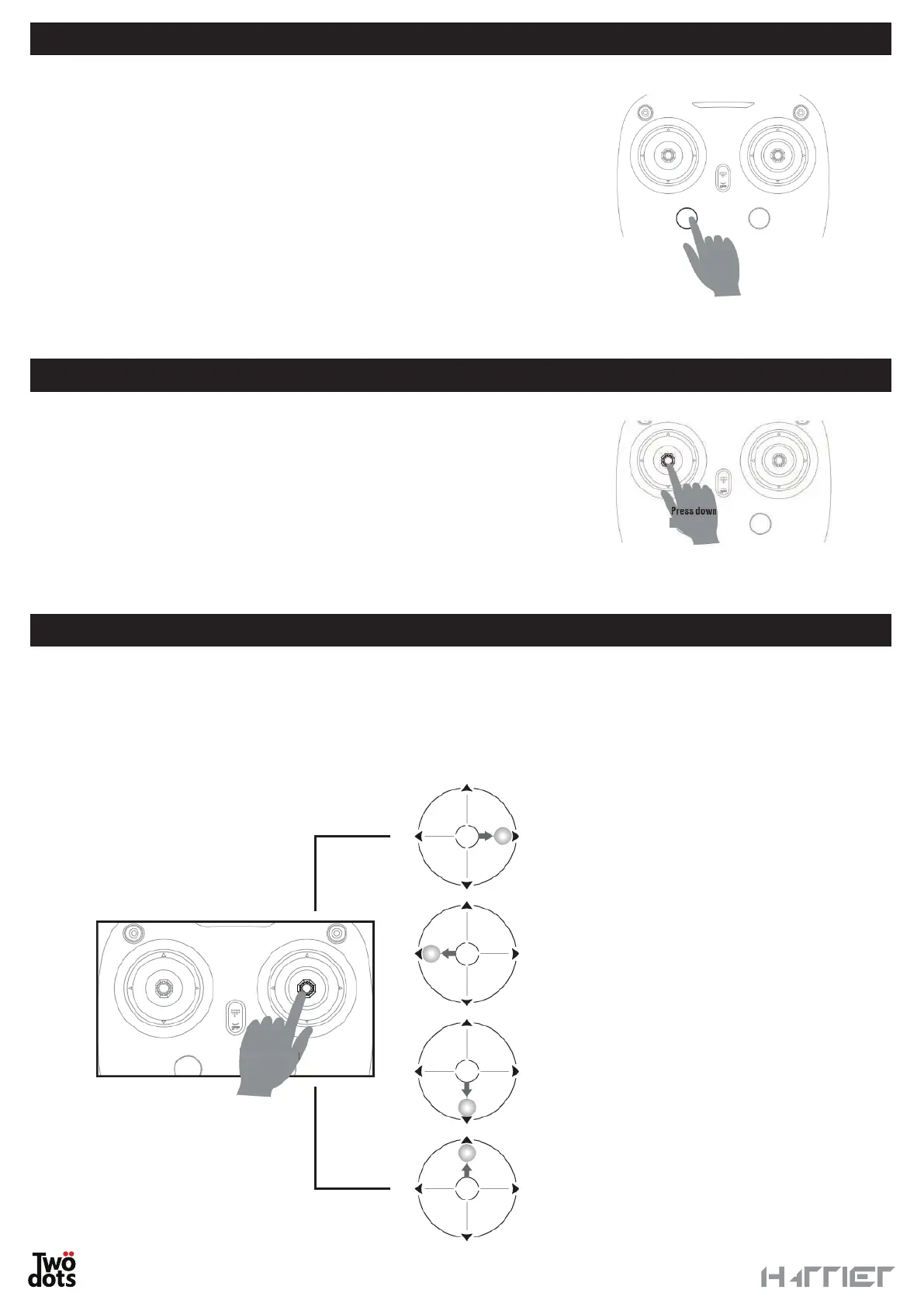
This feature allows you to allow the drone to approach the pilot by
pressing the dedicated button.
When you launch the Return to Home function, the drone cannot
avoid the obstacles along its route.
To abandon this mode, press the corresponding button again.
Once the drone reaches its destination, it will land automatically.
WARNING
• Pay attention to any possible obstacles or interferences along
the way.
• The Return to Home function shall be activated automatically if
the GPS signal is not strong enough and the battery level is low.
FOLLOW ME
ORBIT MODE
You can activate the Follow Me function when the drone is in flight
by pressing the left stick in the centre. A beep will tell you that the
mode is active.
Thanks to the GPS signal, the drone can follow the user.
WARNING
This function can only be activated if the smartphone is connected with
a Wi-Fi network, if satellite access is active and the GPS signal is strong enough for both devices.
ORBIT MODE
Press
Turn left, the drone flies
clockwise; Move further, the
fllying speed will become faster.
Turn right, the drone flies
counterclockwise; Move further,
the speed will become faster.
Go downside to enlarge the
radius of encircling.
Go upward to narrow the
radius of encircling.
When the Orbit function
is activated the left stick
could only control
the height of the drone.
Press
When the Orbit function is activated, the drone will fly automatically in a circle around its position.
Push the right stick towards the centre to activate the function. A beep will tell you that the mode is active.
The drone will automatically fly at the set height and radius. Pay attention to any possible obstacles or
interferences along the way. Use the right stick to control the circle direction, the flight speed and the circle
radius as detailed in the following picture.


 To Next Page