11
TRIM SETTING
TRIM SETTING
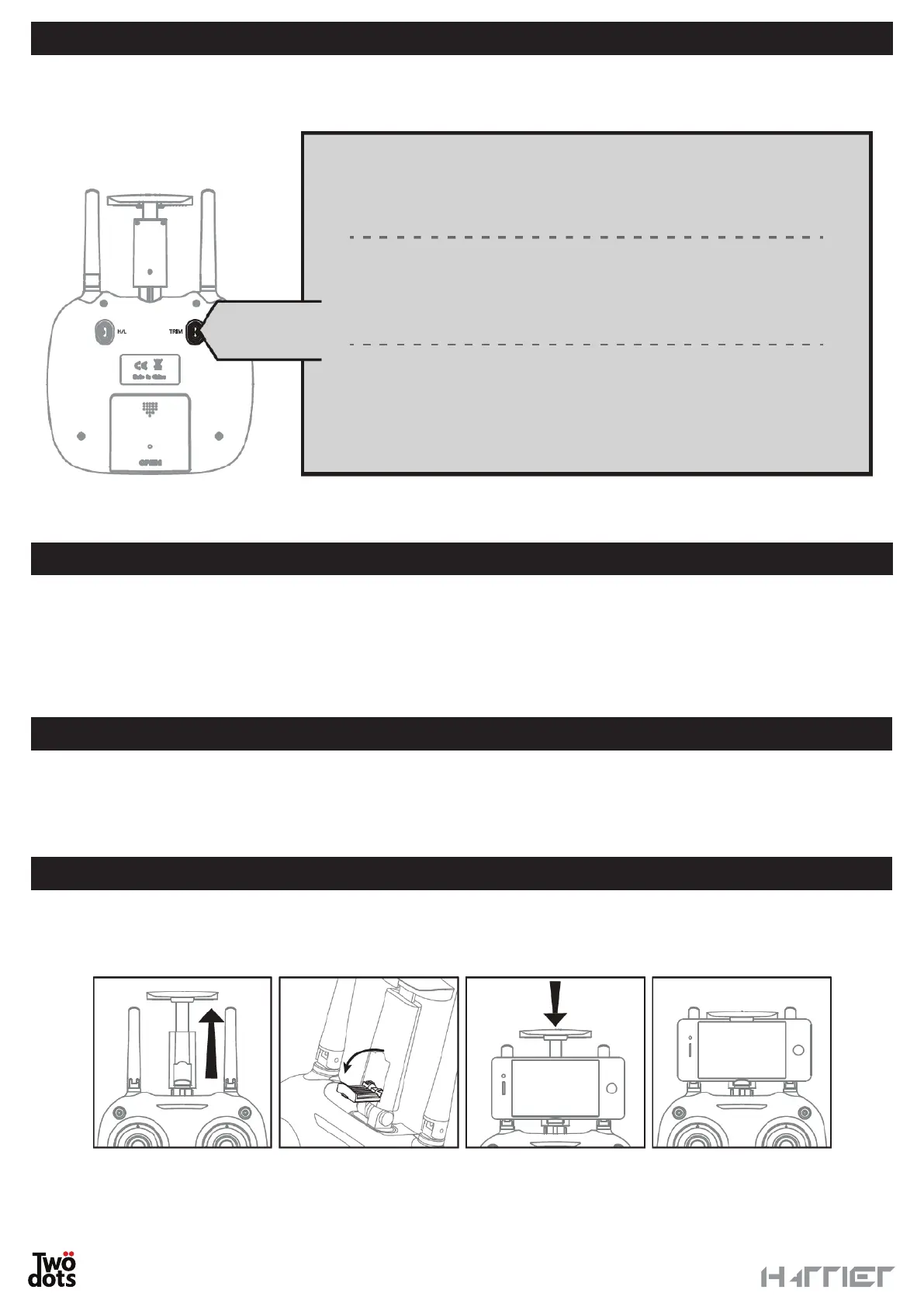
Flying is less stable when the GPS signal is absent. Improve the drone stability by acting on the trims according
to the picture below.
LOW BATTERY WARNING
When the controller and/or drone battery level is low, the controller will beep continuously to indicate that the
pilot must land the drone to replace/charge the batteries. If the drone flies in GPS mode and the battery is low,
the Return to Home function will be activated. Check that no obstacles or interferences are present along the
way.
Setting Forward/Backward Trim: if the drone tends to go
forward at take-off, press the Trim Setting button and push the
right analogue backwards. In the opposite case, push it forward.
Setting Left/Right Rotation Trim: if the drone rotates counter-
clockwise at take-off, press the Trim Setting button and push
the left analogue towards the right. In the opposite case, push it
towards the left.
Setting Left/Right yawing Trim: if the drone tends towards the
left at take-off, press the Trim Setting button and push the right
analogue towards the right. In the opposite case, push it towards
the left.
Trim
setting
OPERATING AREA LIMIT WARNING
If the drone leaves the operating area of its remote control, you will hear a beep signalling danger. Return the
drone to the controller’s action space or it might not respond to the controller’s commands and fly away.
SMARTPHONE HOUSING
Open the controller’s antennas and extract the support, open the lower clamp and house the smartphone as
shown in the picture.


 To Next Page