6
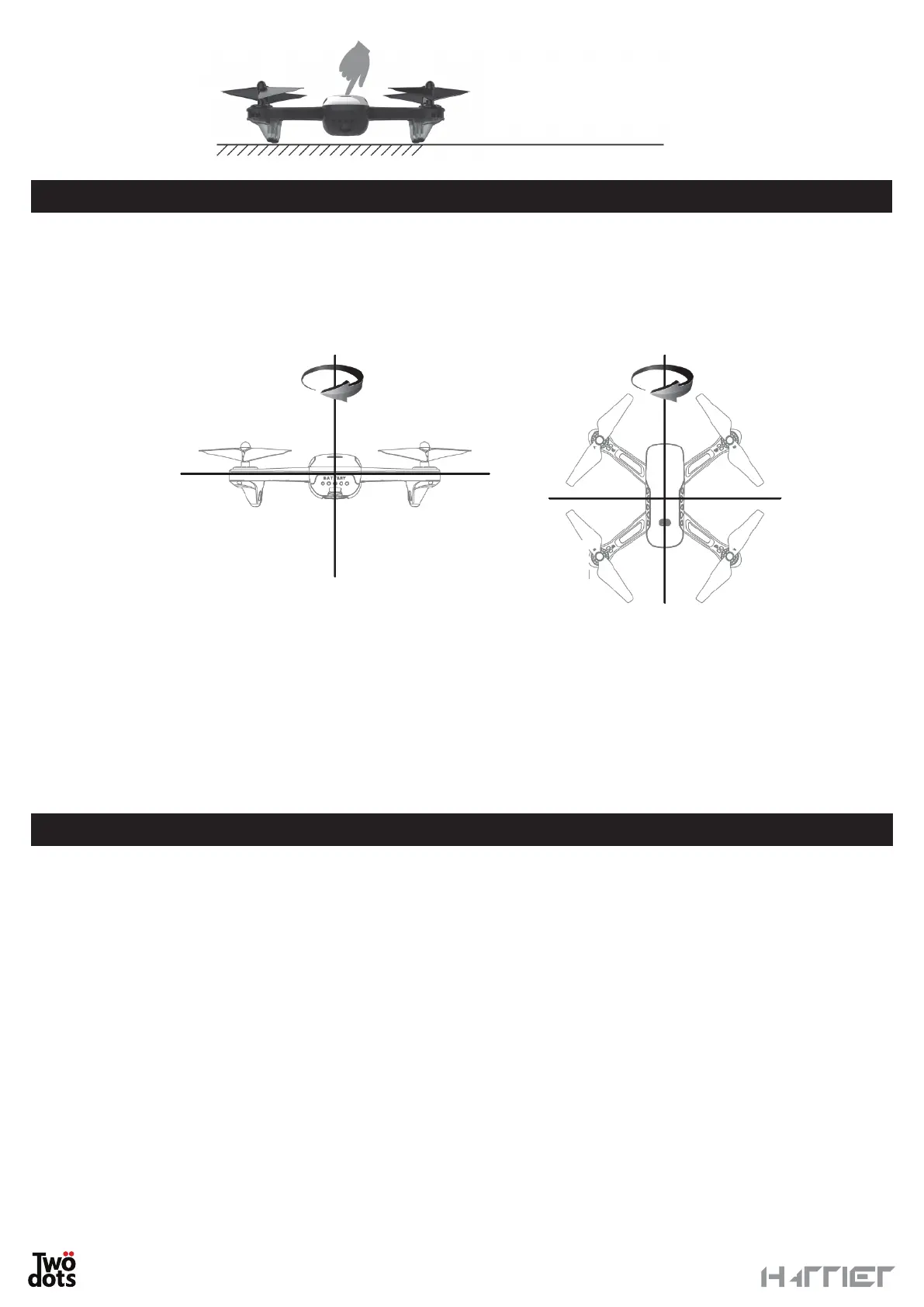
Place the drone
on a flat surface.
CALIBRATING THE COMPASS
You need to calibrate the compass before the flight to make it easier and more stable.
Complete the pairing procedure. After the procedure, only the LED lights on the left of the drone will remain lit.
Flip the drone horizontally until the controller beeps. Then, flip the drone vertically (with the camera facing
upwards) until the controller beeps.
PLEASE NOTE: pcalibrate the compass before each flight in a new area.
WARNING
• Do not calibrate the drone close to magnetic fields or metallic structures.
• It is not required to calibrate the compass if you fly the drone several times consecutively in the same area.
• If flight is not very stable in GPS mode, you need to calibrate the compass again following the procedure
above.
GPS MODE
After the proper setting, the drone automatically activates the GPS tracking signal. When reception is sufficient
you will hear an acoustic signal and the LEDs on the drone as well as the blue LED will remain steady.
PLEASE NOTE: When no GPS connection, the drone can only fly within three meters.
WARNING
• A precise and strong GPS signal depends on several factors, like the presence of interferences or not.
• Electricity pylons, antennas and high-tension wires may affect the precision of the GPS and of the compass.
• When the GPS is activated, use the drone outdoors only.
• Minimize any possible interference by avoiding areas characterised by high levels of electromagnetism,
including towers and bases for radio transmissions.
Level correction
Vertical correction


 To Next Page