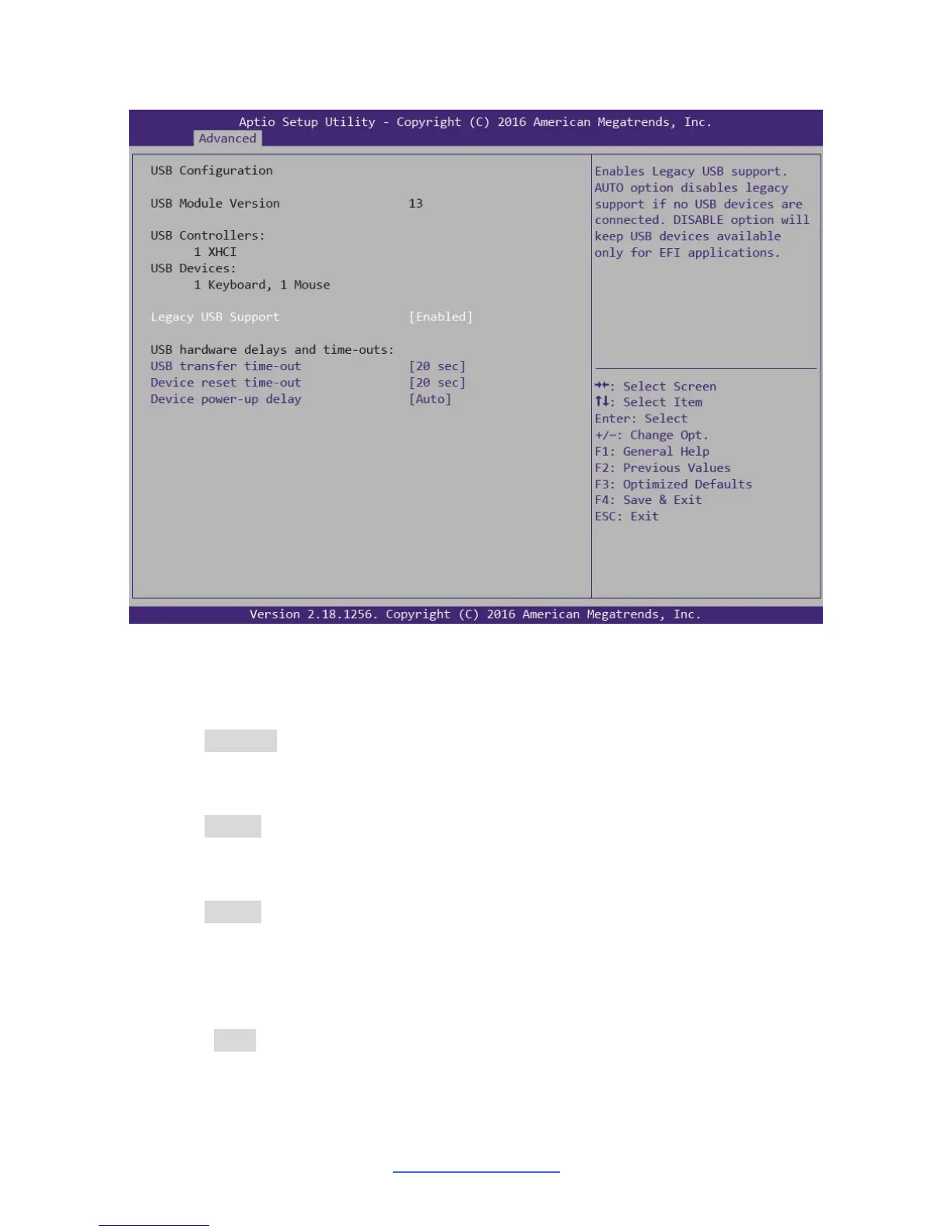
3.3.16 USB Configuration
Legacy USB Support
Enable USB legacy support. AUTO option disables legacy support if no USB
devices are connected. DISABLE option will keep USB devices available only for
EFI applications.
Enabled / Disabled / Auto
USB transfer time-out
The time-out value for Control, Bulk and Interrupt transfers.
20 sec / 10 sec / 5 sec / 1 sec
Device reset time-out
USB mass storage device Start Unit command time-out.
20 sec / 10 sec / 30 sec / 40 sec
Device power-up delay
Maximum time the device will take before it properly reports itself to the Host
Controller. AUTO uses default value: for a Root port it is 100 ms, for a Hub port the
delay is taken from Hub descriptor.
Auto / Manual


 To Next Page