http://www.tyan.com
22
2.4 - Installing the Processor
Your brand new S7025 supports the latest Tylersburg platform from Intel
®
.
Only Intel
®
“Nehalem-EP 2S” processors are certified and supported with
this motherboard.
Check our website for latest processor support. http://www.tyan.com
TYAN
®
is not liable for damage as a result of operating an
unsupported configuration.
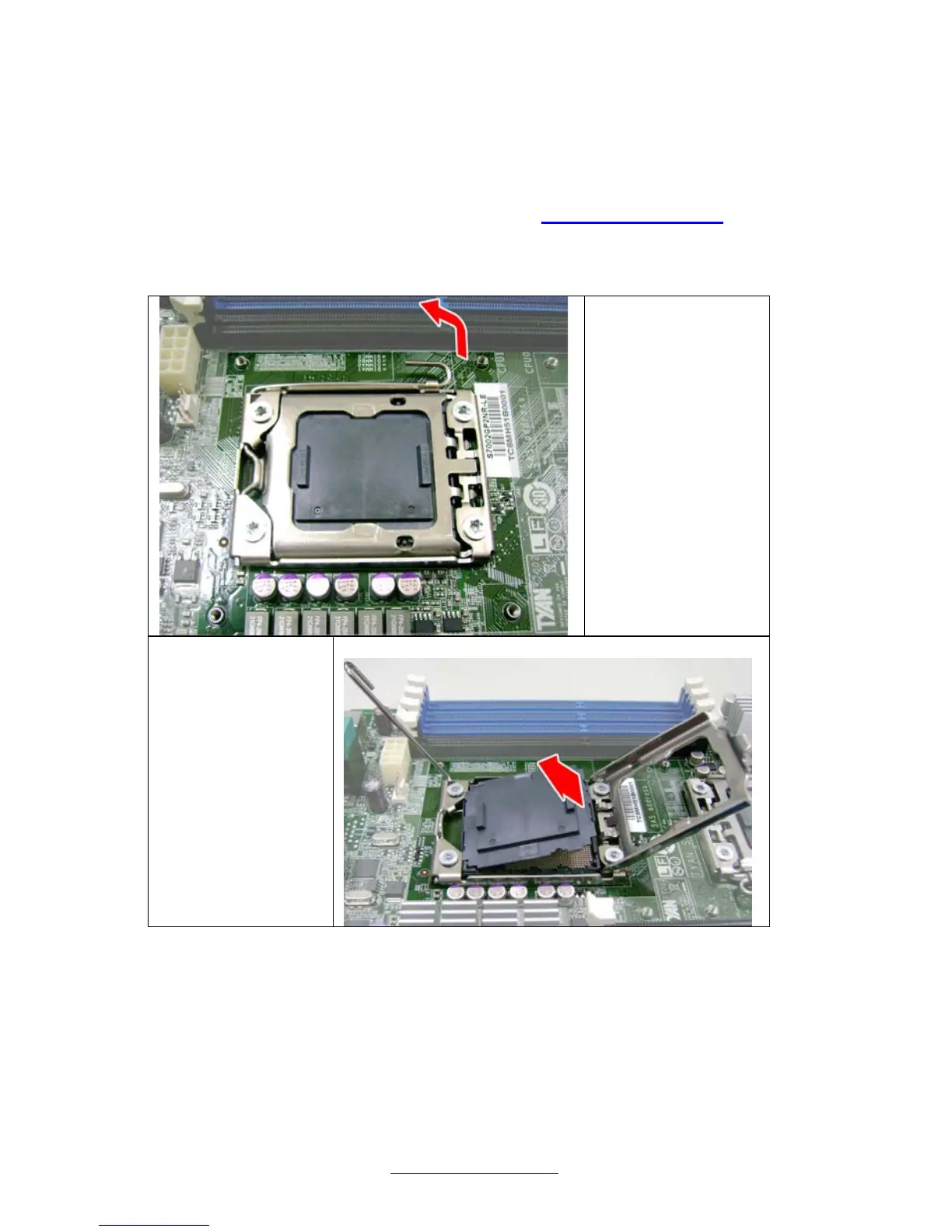
Step1:
Press the lever
and unlock the
CPU socket.
Step2:
Lift the CPU
protection cap
up and lay the
CPU into the
socket(A),
ensuring pin1
is correctly
located(B).
A



 To Next Page