http://www.tyan.com
27
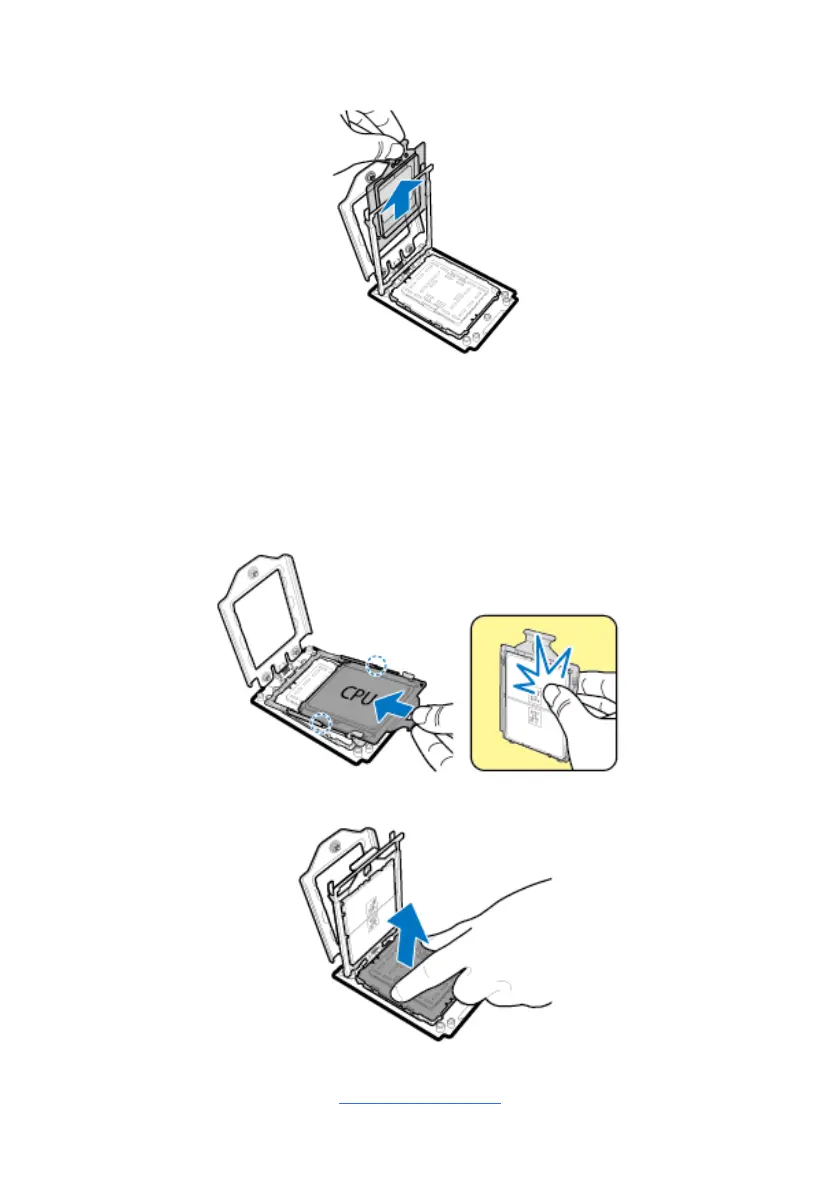
3. Remove the external cap from the rail frame.
4. Align and install the carrier frame with package into the slot on the rail frame.
NOTE: During installation, observe the following:
Make sure to push the carrier frame with package towards the end of the
rail frame until it clicks into place.
Do not drop the carrier frame or touch the package pad to avoid
component damage.
5. Using your thumb and forefinger, remove the PnP cap by lifting it up vertically.



 To Next Page