http://www.tyan.com
119
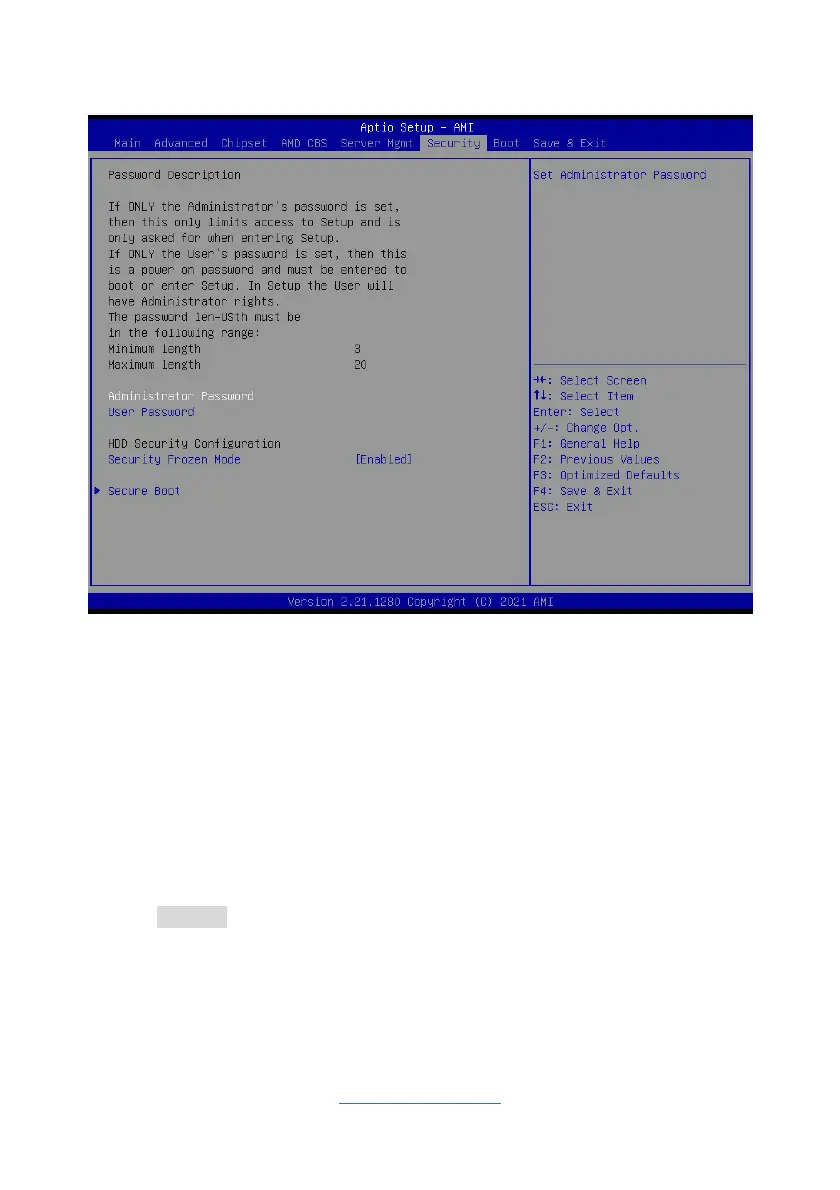
3.7 Security
Administrator Password
Set administrator password in the Create New Password window. After you key in
the password, the Confirm New Password window will pop out to ask for
confirmation.
User Password
Set user password in the Create New Password window. After you key in the
password, the Confirm New Password window will pop out to ask for confirmation.
Secure Frozen Mode
Disable means Hard Drive on Non-frozen mode. Enable means Hard Drive on
Frozen mode.
Enabled / Disabled
Secure Boot
Secure Boot Configuration.



 To Next Page