http://www.tyan.com
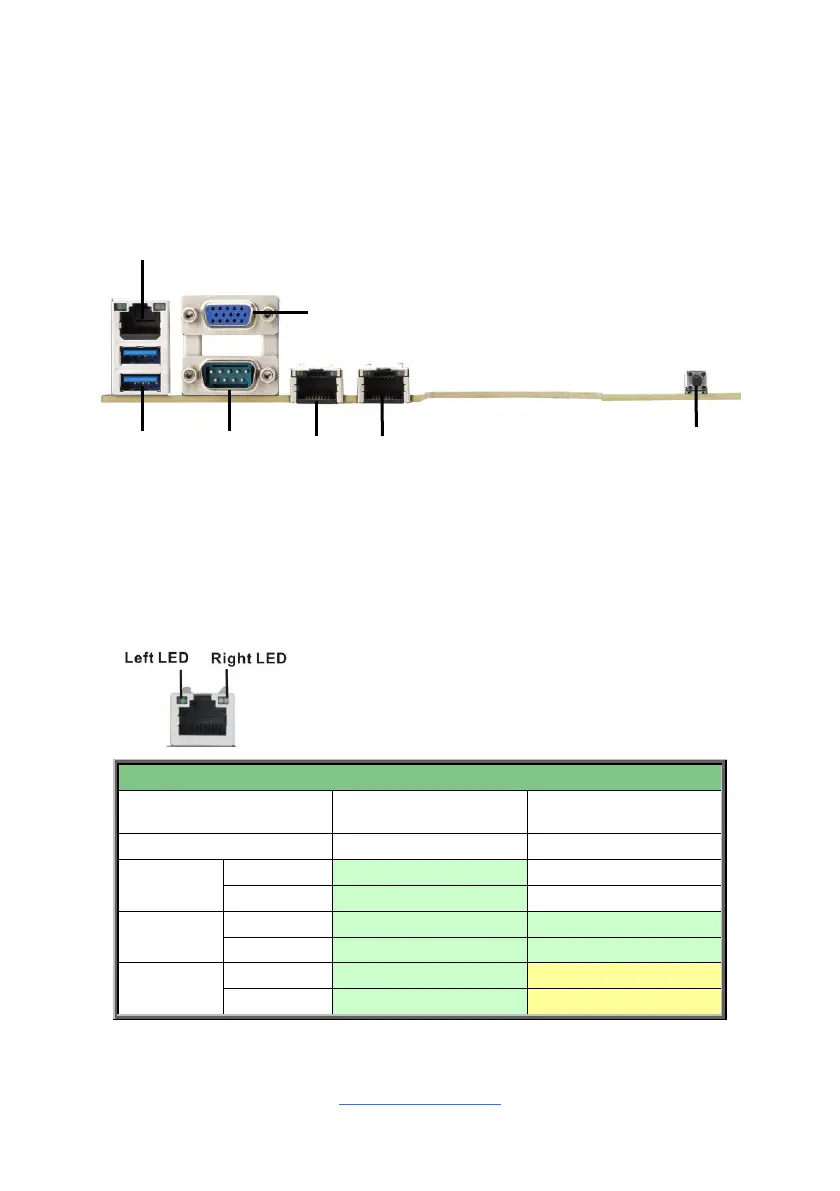
2.12 Connecting External Devices
Connecting external devices to the motherboard is an easy task. The motherboard
supports a number of different interfaces through connecting peripherals. See the
following diagrams for the details.
NOTE: RJ45 (1Gb) LAN1 is from Realtek RTL8211E chipset. RJ45 (1Gb)
LAN2/LAN3 is from Broadcom 5720 chipset.
Onboard LAN LED Color Definition
The Three (3) onboard Ethernet ports have green and Amber LEDs to indicate LAN
status. The chart below illustrates the different LED states.
1Gbps LAN Link/Activity LED Scheme



 To Next Page