DocNo.FM0411issueJPage3
1.SLIPINTERFACESET‐UP
TheAdventxtsystemis programmedusingaLaptopPCconnectedtothemainCPUboardviaastandard9pinmale/femaleserialdata
cable(TynetecPartNo.EH0190).IftheLaptopdoesnothavea9pinserialportthenaUSB‐serialconverterwillberequired(Tynetec
Part
No.W01150).
TheLaptopmusthaveaWindows98,2000orXpOperatingSystemwithitsSerialPortconfiguredfor“SerialLineInterfaceProtocol”
(SLIP).Aseparatemanualisavailable(TynetecDocNo.FM0446)detailingtheset‐upofaSLIPinterfaceonWindows98&Xpoperating
systems.
ForLaptopswithWindows7thereisaMicrosoftapplicationavailablethatrunsWindows7inXpmodetherebyallowingtheSLIP
connectiontowork.Note:thisapplicationisonlycompatiblewith64bitWindows7professional,EnterpriseorUltimateEditions.
ContactTynetec’sCustomerSupportDeptforacopyofthe
softwareandtheinstructionguide(TynetecDocNo.FM0692).
AdventxtFirmware
TheprogrammablefeaturesdescribedinthismanualareonlyavailableiftheAdventxtControllerhasthefollowingA00380
motherboardPCBissuesandfirmwareversions(orlater);
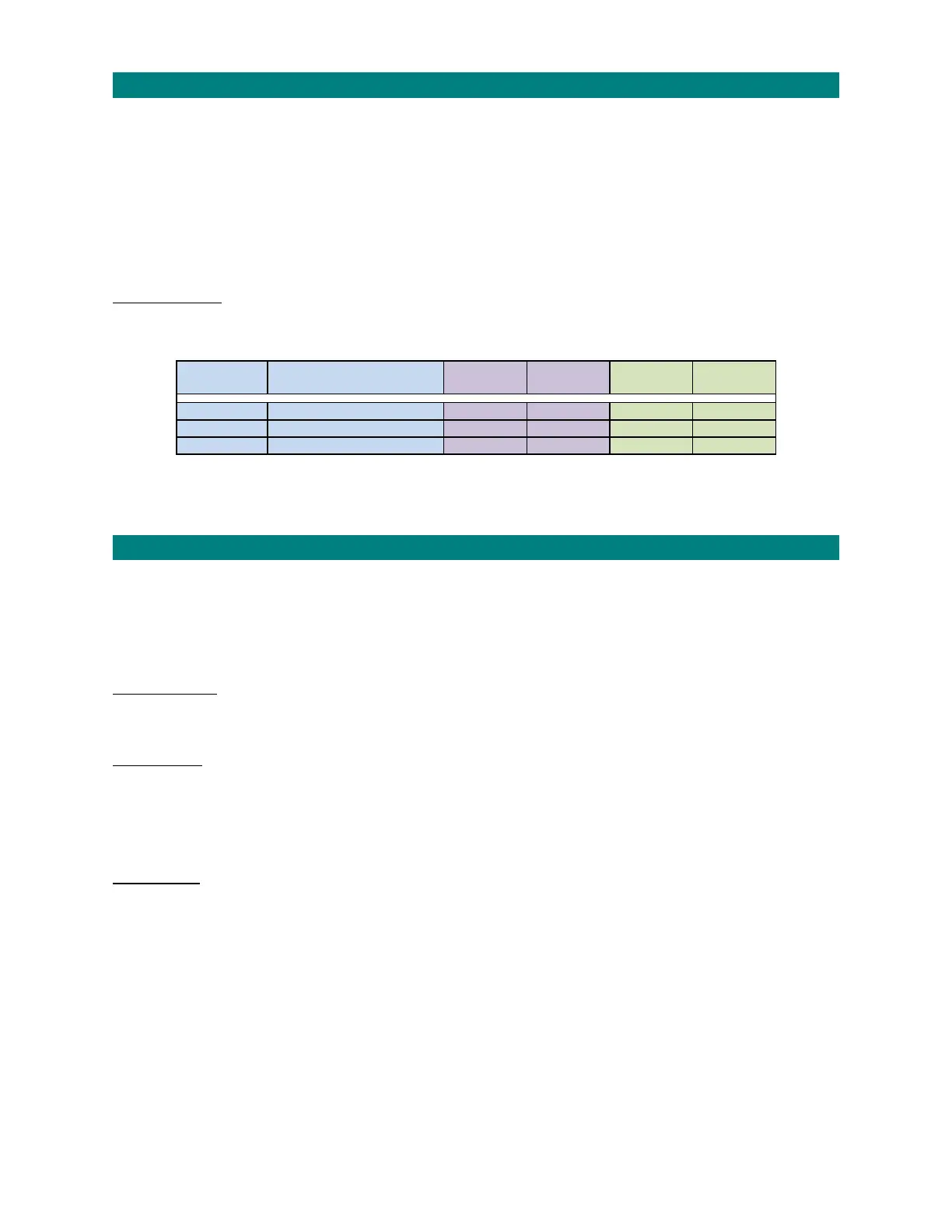
FirmwareNo. Function
A00380
PCBIssue
Firmware
Version
A00380
PCBIssue
Firmware
Version
EE1600 MainProcessor A‐G V3.01A H V4.04A
EE1605 Co‐Processor A‐G V3.00B H V4.00A
EE1610 DigitalSpeechProcessor A‐G V3.00A H V4.01A
ContactTynetec’sCustomerSupportDepartmentfordetailsoflatestupgradesavailable.
2.DATABACK‐UP/RESTOREFUNCTION
Allsystemprogrammingcanbestoredonaremoveable32MBDataFlashCard(TynetecP/No.A00480)providedthecontrollerhasan
A00380issue“C”motherboardwithV2.0firmwareonwards.TheFlashCardshouldbeleftinthecontrolleratalltimessoallchanges
arestored.
Datacanbebacked‐upmanuallyusingspecialcodesviatheManagershandset(default)orautomaticallyeverytimechangesaremade.
SeetheGeneralSetuppagetoEnableAutoBack‐up.
AutomaticBack‐up
Thiswilloccureverytimeyouexitprogrammingmode‐itcantakeupto10secondstocopyallthesystemdatatothecard.Radio
devicesarealsoautomaticallystoredonthecardasdevicesareaddedorremoved.
ManualBack‐up
PresstheRESETbuttononthecontrollermotherboard,youhave60secondstousethefollowingcodesviatheManagershandset
(onsitemodeonly);
8010CopyallsystemconfigurationdataandspecialmessagestotheFlashCard
8020CopyallradiodevicedatatotheFlashCard
ManualRestore
Ifthecontrollermotherboardisreplacedforwhateverreason,datacanberestoredfromyourexistingFlashCardontothenewboard.
Fitthenewmotherboard,plug‐inyourexistingFlashCard,power‐upandpresstheRESETbutton.Youhave60secondstousethe
followingcodesviatheManagershandset(onsitemodeonly);
9010TransfersystemconfigurationdataandspecialmessagesfromFlashCardtosystemmemory
9020TransferradiodevicedatafromFlashCardtosystemmemory


 To Next Page