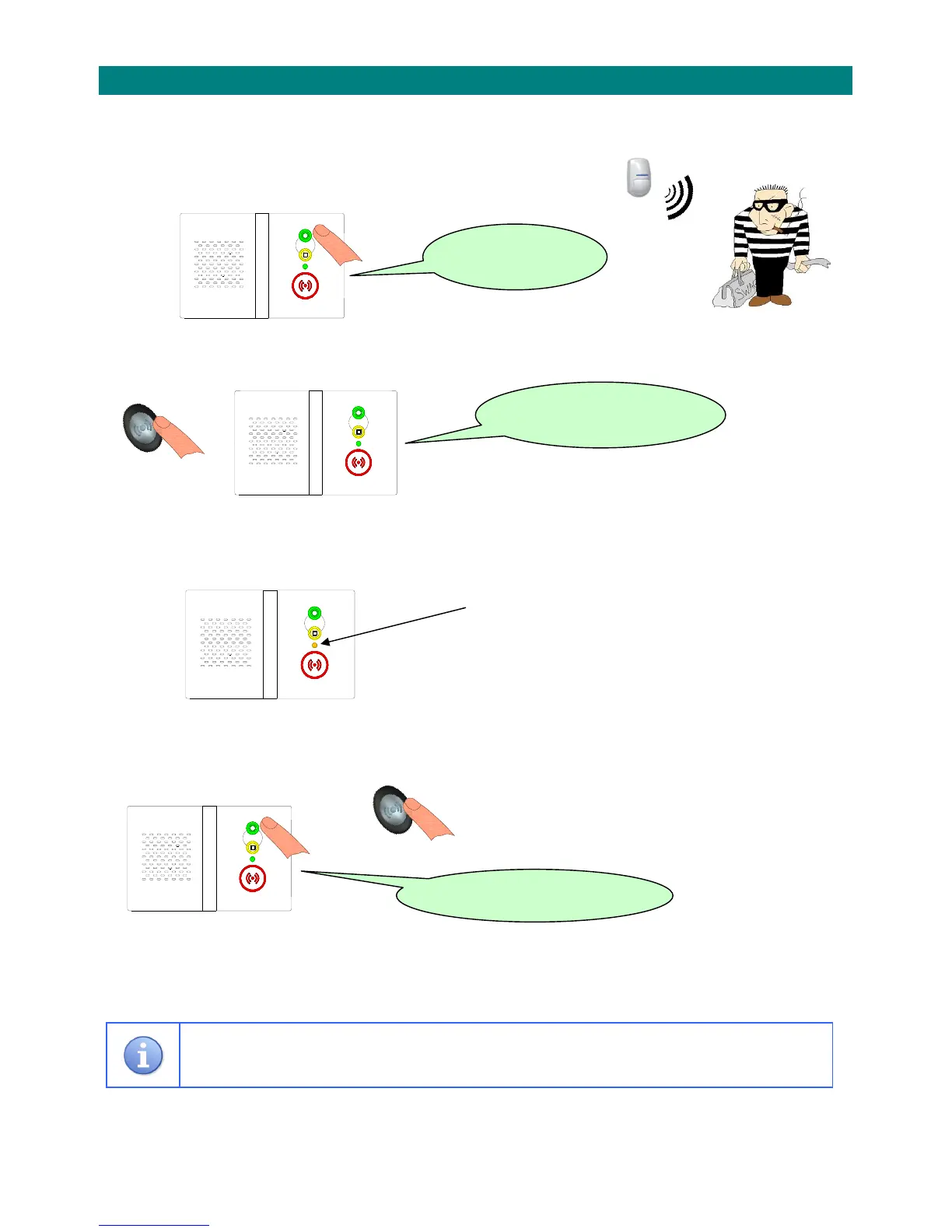
IfoptionalPIRmovementdetectorsfittedforactivitymonitoringtheresidentcanusethesedevicesas
abasicintruderalarmwhentheygoout.
1.PresstheGREENbuttonandtheunitwillannounce…
2.PresstheTOUCHPENDANTwithin20secondsandtheunitwillannounce…
3.Younowhave30secondstoleavethebuilding.
Note:youcancancelintrudermodeduringthis
periodbypressingtheGREENbutton.
4.Whentheexittimeexpiresthedouble‐beepwillstopandintrudermodeisset…
ThefrontlightwillgoSTEADYAMBER
WhentheyreturnhomeandactivateaPIR
movementdetectortheentrytimewillstart.
Younowhave30secondstodisablethe
intrudermode.
5.ToDISABLEintrudermodepresstheGREENbuttonfirstfollowedbytheTOUCHPENDANTwithin
20seconds…
then.. ThefrontlightwillgoSTEADYGREEN
andtheunitwillannounce…
Failuretodisabletheintrudermodewillsenda“silent”alarmcalltothecontrolcentre.
IntruderModemustbeenabledduringtheprogrammingoftheReach unit.
Seesection2.3.11fordetails.
“Enable



 To Next Page