DocNo.FM0621issueD
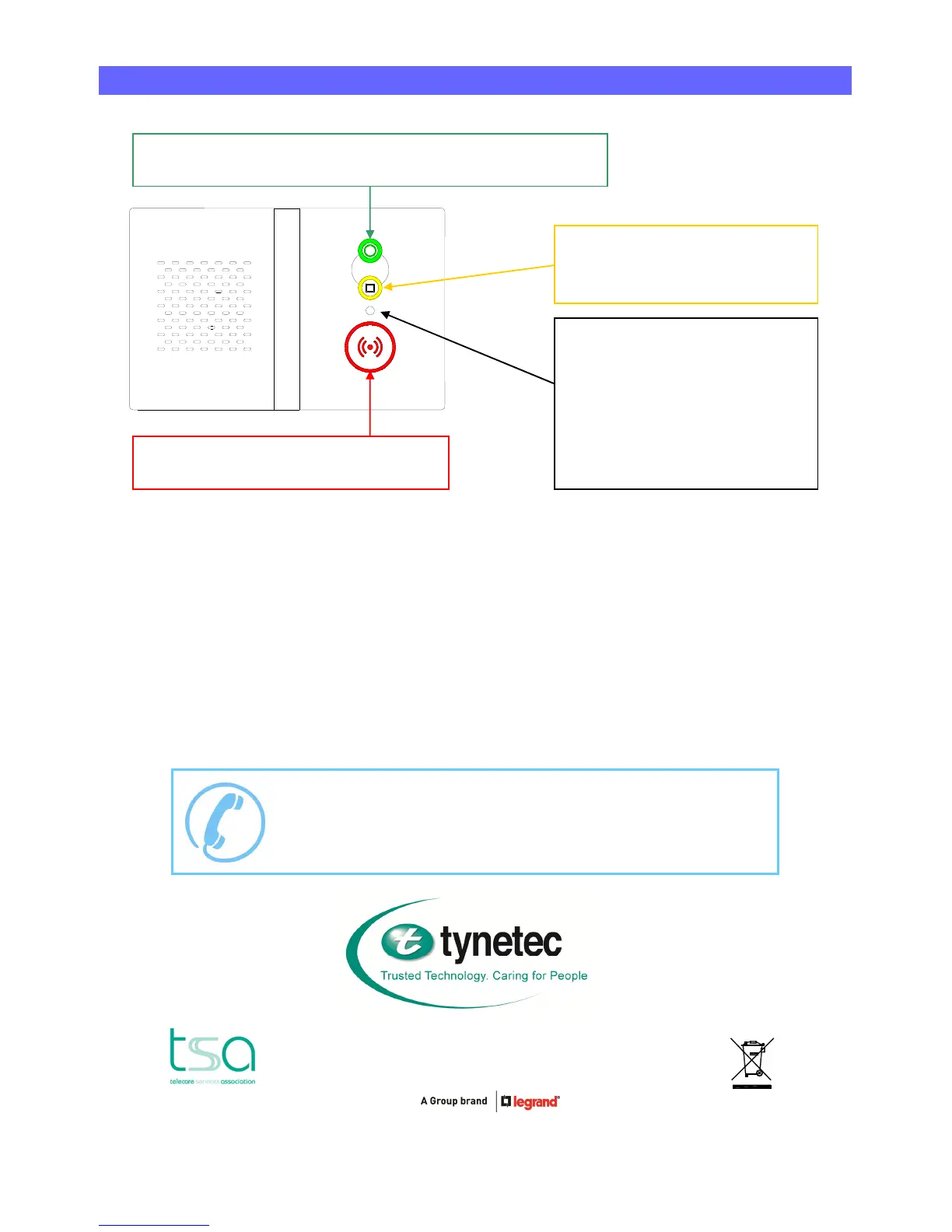
GREENCANCELBUTTON
UsedtoCANCELanemergencycallorSILENCEafaultmessage
YELLOWFUNCTIONBUTTON
UsedtoselectHOMEorAWAYmode
foractivitymonitoring
RED(())EMERGENCYBUTTON
UsedtomakeanEMERGENCYalarmcall
FRONTSTATUSLIGHT
SteadyGreen=Normal
FlashingGreen=AwayMode
FlashingFastGreen=ProgramMode
SteadyRed=EmergencyCall
FlashingRed=TelephoneCall
SteadyAmber=IntruderMode
FlashingAmber=Fault
NEEDMOREHELPORADVICE?
PleasecontactTynetec’sTelecareHelplineon01670369934
LinesopenMondaytoFridayfrom9AMto5PM(excludingBankHolidays)
Tynetec,abusinessunitofLegrandElectricLtd
Unit10CowleyRoad,BlythRiversideBusinessPark,Blyth
Northumberland,NE245TF.Tel:01670352371Fax:01670362807
Email:sales@tynetec.co.uk Web:www.tynetec.co.uk



 To Previous Page