TYPHOON BLUETOOTH™ 56K WIRELESS MODEM KIT
Article Number: #20006
Version 2.0 All specifications and information are subject to changes without further notices
12
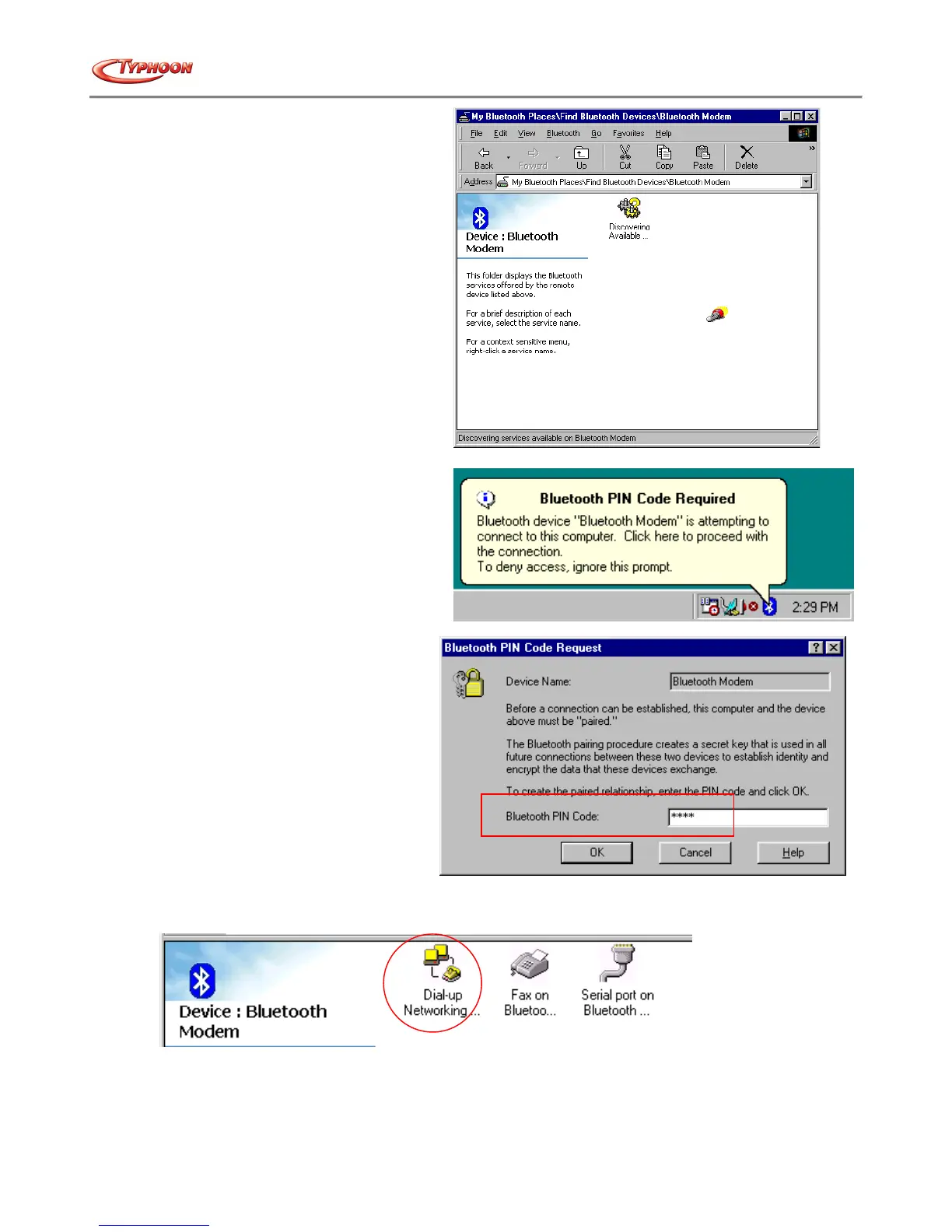
c. The Discover Services will start.
d. Windows will prompt for a 4-digit PIN
Code to pair with the Bluetooth™ Modem.
You can find the PIN Code at the bottom of
your Bluetooth™ modem.
e. As printed on the screen, the PIN code is
for security function during
communication between the Bluetooth™
Adapter and the Modem. Key in the PIN
Code and click the "OK" button to
proceed.
f. When Bluetooth™ Modem has been paired it will show 3 services. Double click on "Dial-up Networking on
Bluetooth™ Modem" service icon.



 To Next Page