TYPHOON BLUETOOTH™ 56K WIRELESS MODEM KIT
Article Number: #20006
Version 2.0 All specifications and information are subject to changes without further notices
11
3viii. Bluetooth™ Modem installation
1. Getting Started
a. At the rear of the modem, push the switch to "BT" position. .
b. Connect the telephone line to the RJ-11 socket and the other end to the telephone wall socket.
c. Plug in the AC adapter to the power outlet and the other end to the modem. Please make sure the voltage
specifications are similar to your area requirements.
2. How to dial-up under Windows
The following procedures are using the Widcomm Bluetooth™ software as reference on how to use the Bluetooth™
Modem to access the Internet. Users should follow according to your Bluetooth™ software instructions if it is
different.
For Windows® 98SE
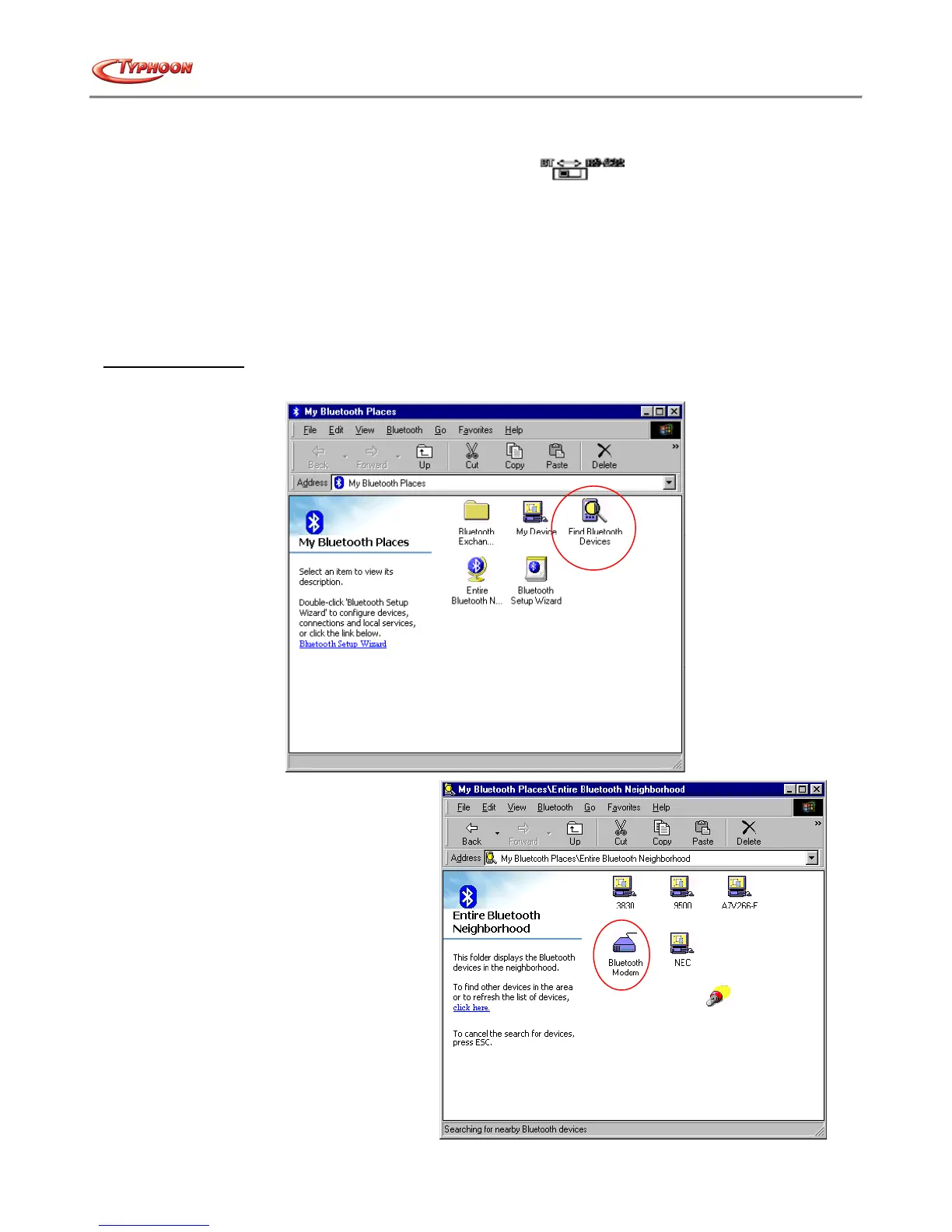
a. Double click the "My Bluetooth™ Places" icon on the desktop, and double click the "Find Bluetooth™
Devices" icon.
b. Bluetooth™ software will start searching
the surrounding remote devices. Once the
devices are located, double click on the
"Bluetooth™ Modem" icon.



 To Next Page