TYPHOON BLUETOOTH™ 56K WIRELESS MODEM KIT
Article Number: #20006
Version 2.0 All specifications and information are subject to changes without further notices
22
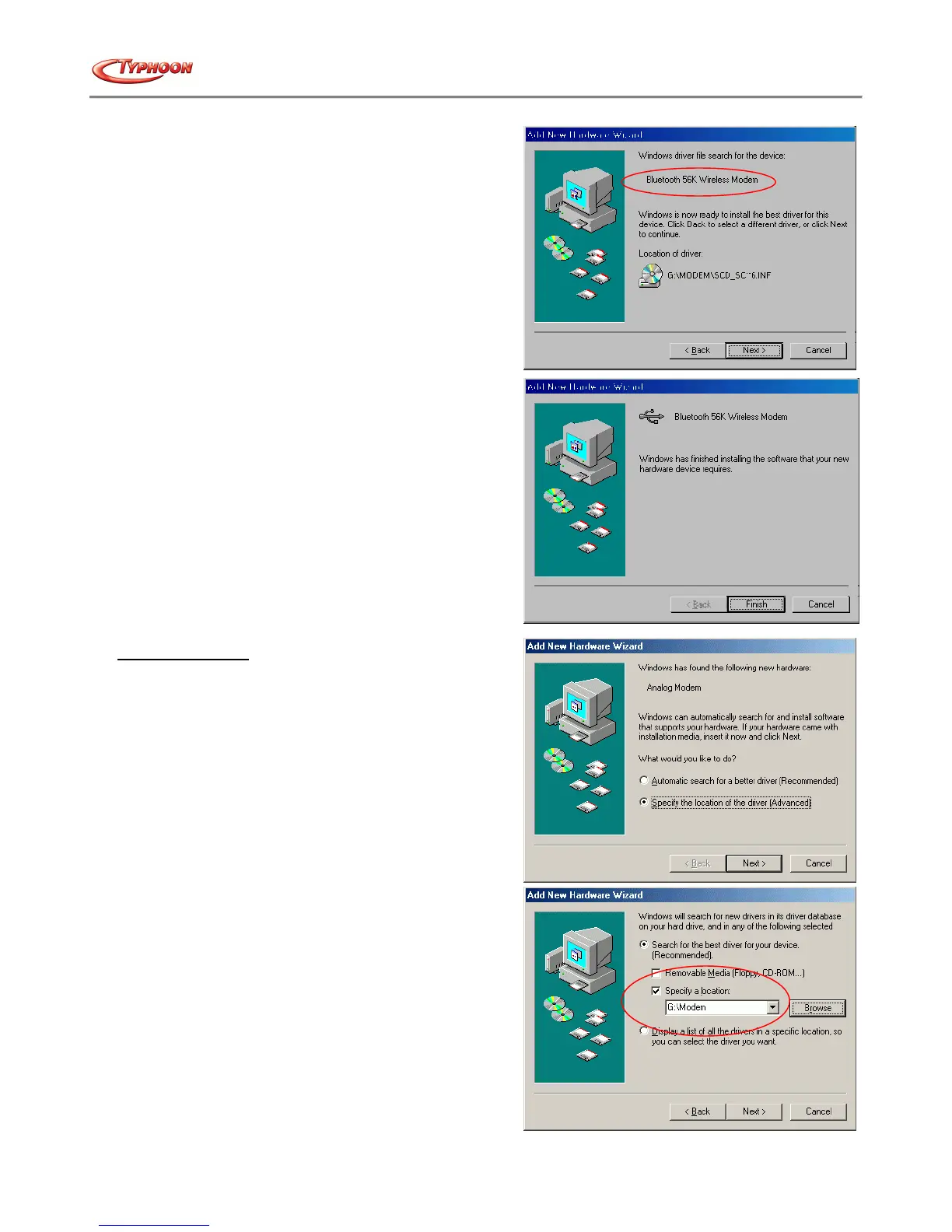
d. Windows will detect the Modem description and prepare
for the installation. Click on the "Next" button to begin
the driver installation process.
e. Once completed, click the "Finish" button to complete
the installation process.
For Windows® ME
a. Start the computer and launched Windows® ME.
Windows will detect the device and start the “Add New
Hardware Wizard” installation process. Insert the driver
CD into the CD drive and click the "Next" button.
b. Select "Search for the best driver for your device."
then choose "Specify a location" and type "G:\Modem"
(where G:\ is the path of your CD-ROM drive) in the
location or you can click the "Browse" button to select,
then click the "Next" button.



 To Next Page