TYPHOON BLUETOOTH™ 56K WIRELESS MODEM KIT
Article Number: #20006
Version 2.0 All specifications and information are subject to changes without further notices
14
For Windows® ME
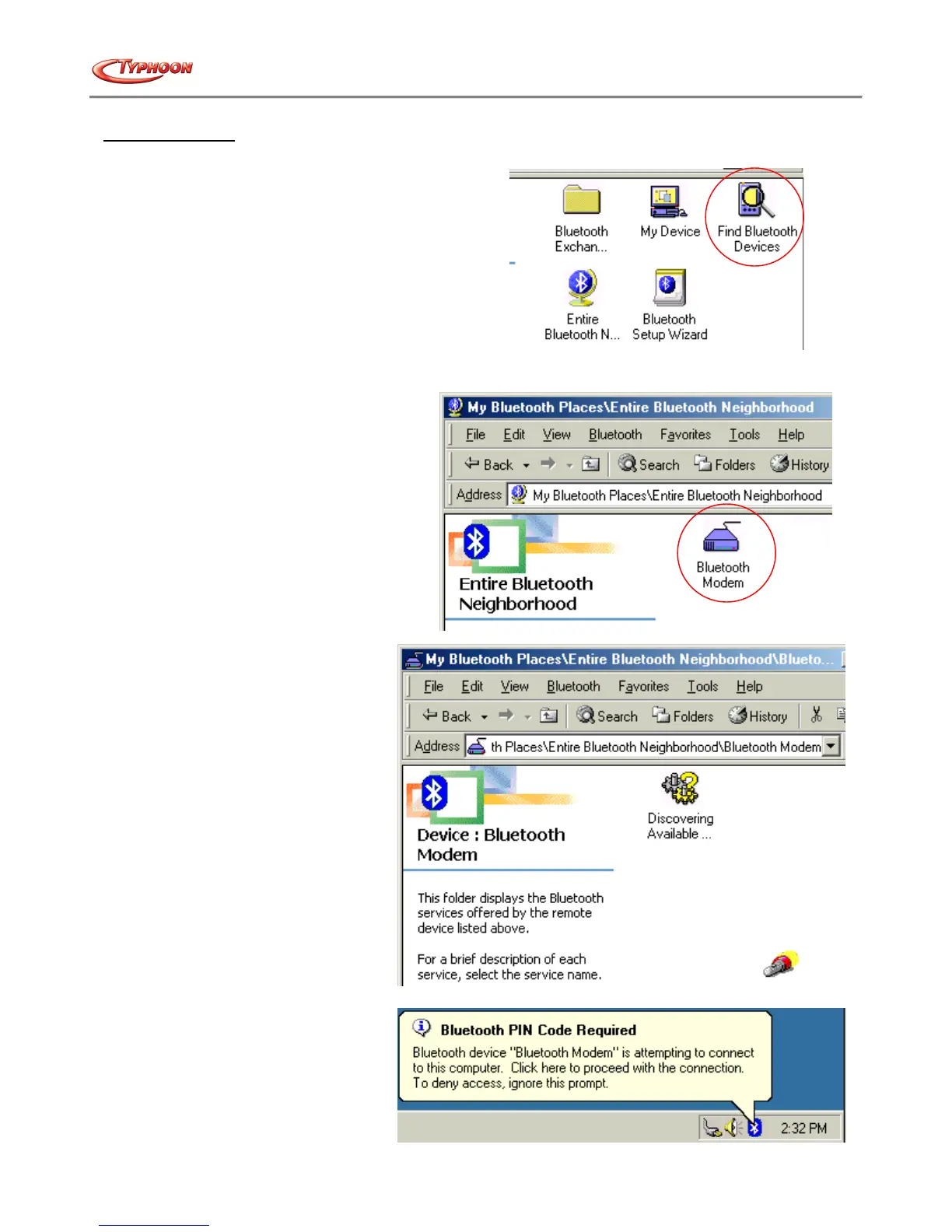
a. Double click the "My Bluetooth™ Places" icon on the desktop. Next, double click the "Find Bluetooth™
Devices" icon.
b. The Bluetooth™ software will start searching the surrounding remote devices. Locate the "Bluetooth™
Modem" icon and then double click on it.
c. The Discover service will start.
d. Then windows will ask for a 4-
digit PIN Code to pair with the
Bluetooth™ Modem. You can find
the PIN Code at the bottom of your
Bluetooth™ modem.



 To Next Page