TYPHOON BLUETOOTH™ 56K WIRELESS MODEM KIT
Article Number: #20006
Version 2.0 All specifications and information are subject to changes without further notices
20
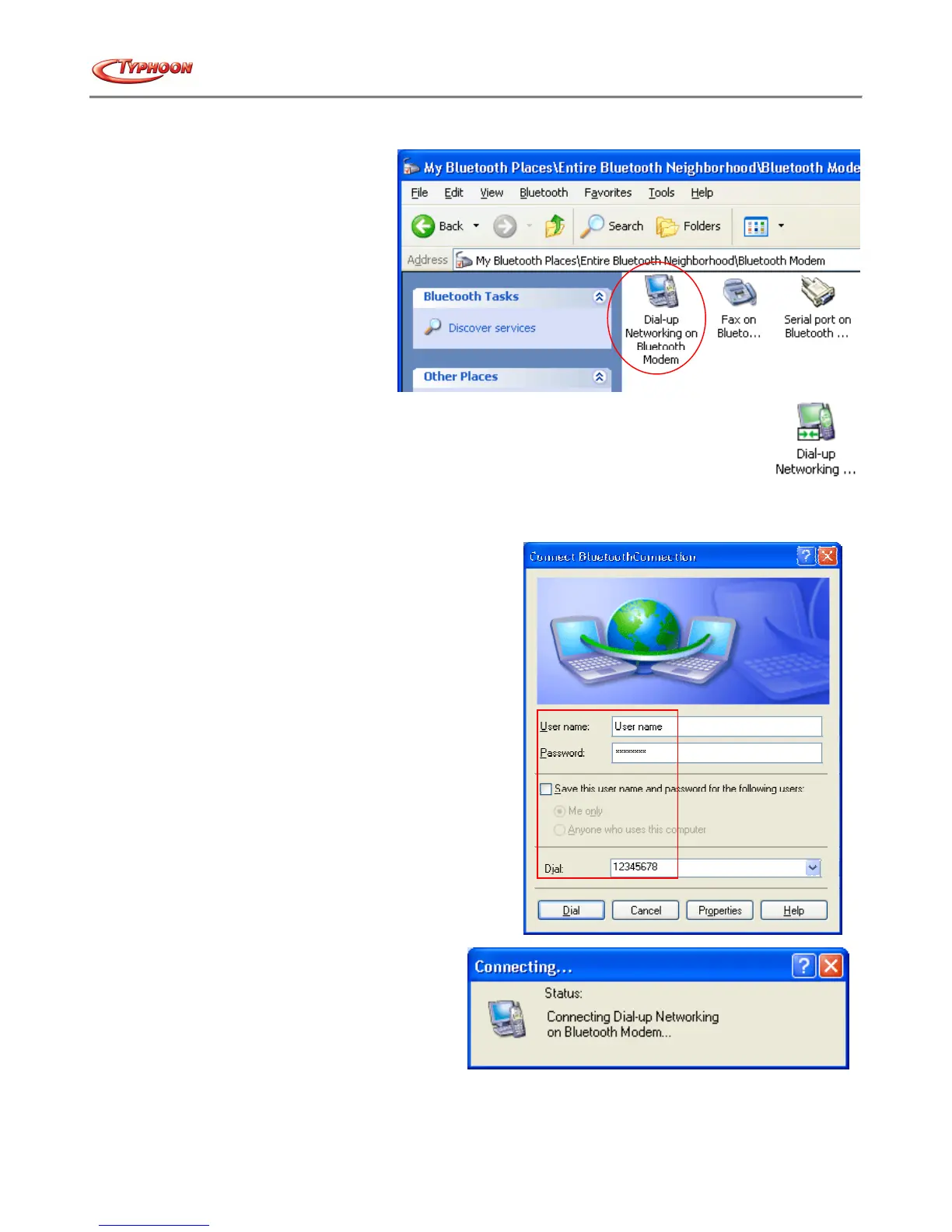
f. When the Bluetooth™ Modem has been successfully paired it will display 3 services. Double click on the "Dial-
up Networking on Bluetooth™
Modem" service icon.
g. When the connection is established successfully, the service icon will change the color to green.
h. The "Connect Bluetooth™ Connection" window will auto pop-up. Please type in the User name, the Password,
and the Phone number. Refer to your ISP (Internet Service Provider) for the connection details and then click on
the "Dial" button.
i. The Typhoon Bluetooth™ Modem will starts
dialing and negotiate with the ISP server.
j. Once the connection is established successfully, the connection rates will be displayed under the Notification area.



 To Next Page