TYPHOON BLUETOOTH™ 56K WIRELESS MODEM KIT
Article Number: #20006
Version 2.0 All specifications and information are subject to changes without further notices
8
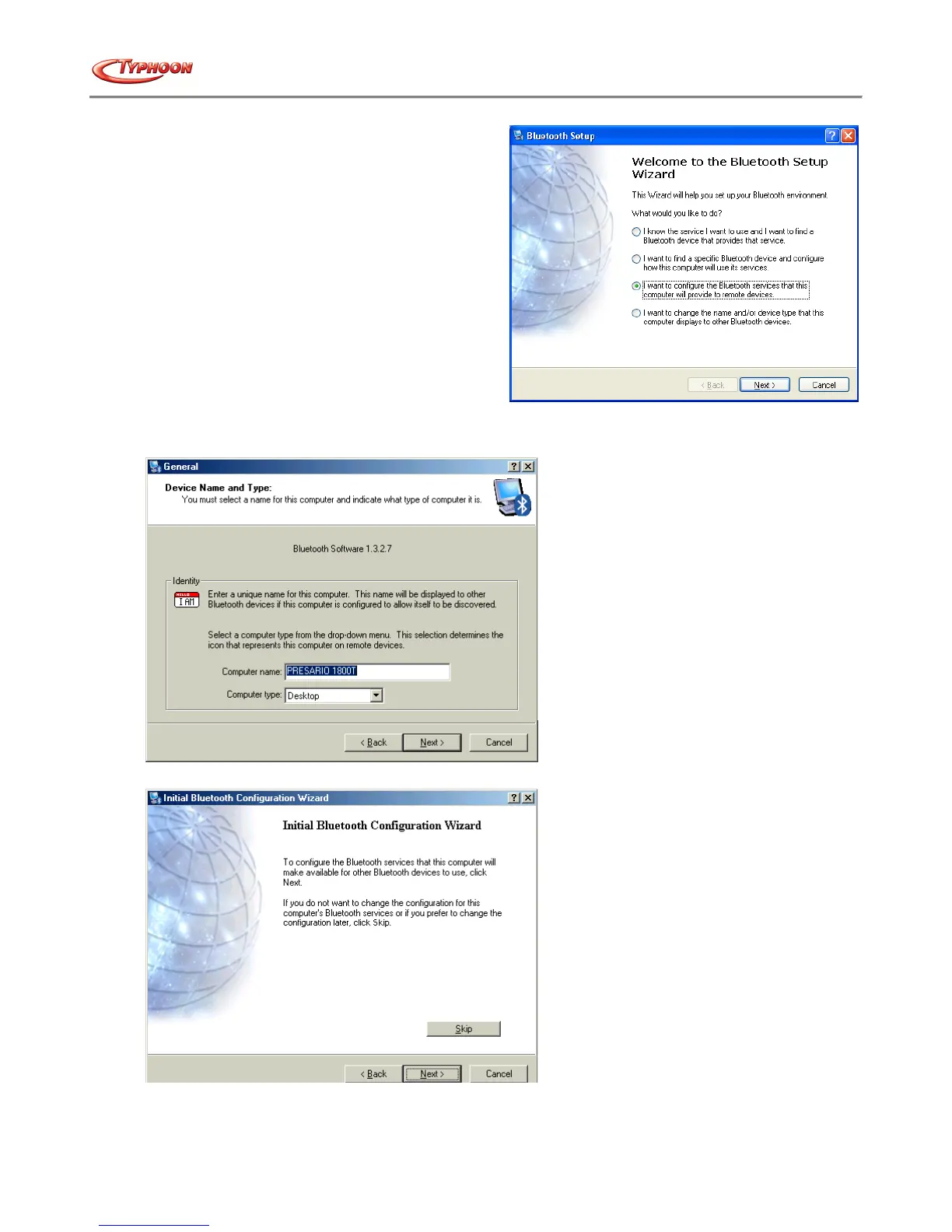
4. Follow the wizard's on-screen instructions to
configuration your Bluetooth™ device. For Windows®
XP users, the screen on the right will appear. Select the
option that accurately reflecting your preferences. For
using with the Typhoon Bluetooth™ 56K Wireless
Modem Kit, go straight to the “My Bluetooth™ Places”
and click on “Search for devices in range”. Refer to the
manual on the modem for more information.
5. Click "Next" to configure the Bluetooth™ service.
6. Click "Next" to proceed or select “Skip” to exit the process..



 To Next Page