Remote Control Signal
To show the drone’s WiFi signal strength.
Settings
Click on this icon to set some parameters as below, and click again to exit.
- Click on “Save” to save trimming setting.
- Choose “Reset” for factory reset.
- Select “720P” transmission quality.
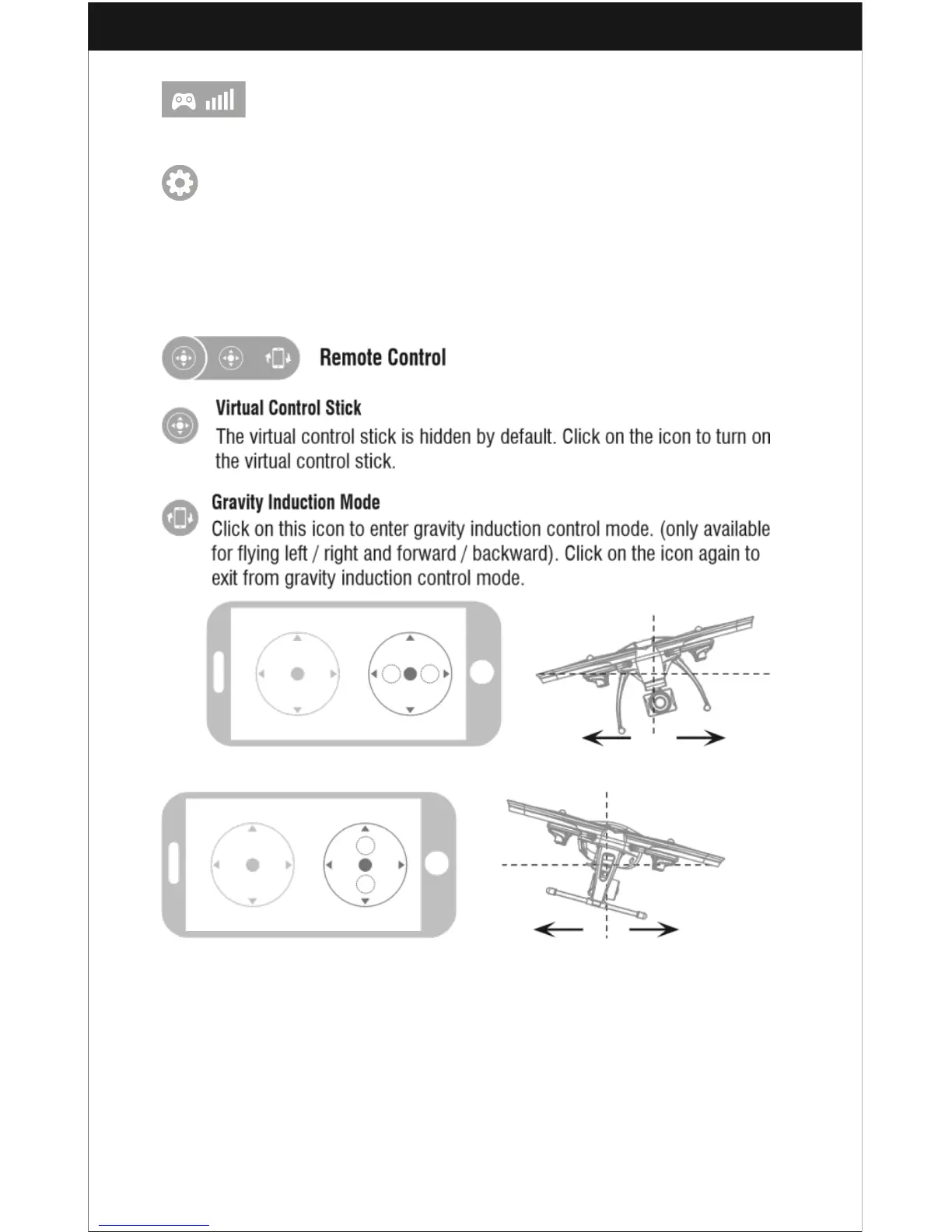
If the mobile phone shakes to the left / right, the Right Ball will move accordingly
causing the drone to fly left / right.
If the mobile phone shakes to forward / backward, the Right Ball will roll
forward / backward, causing the drone to fly forward / backward.



 To Next Page