15
PRINTOUTS
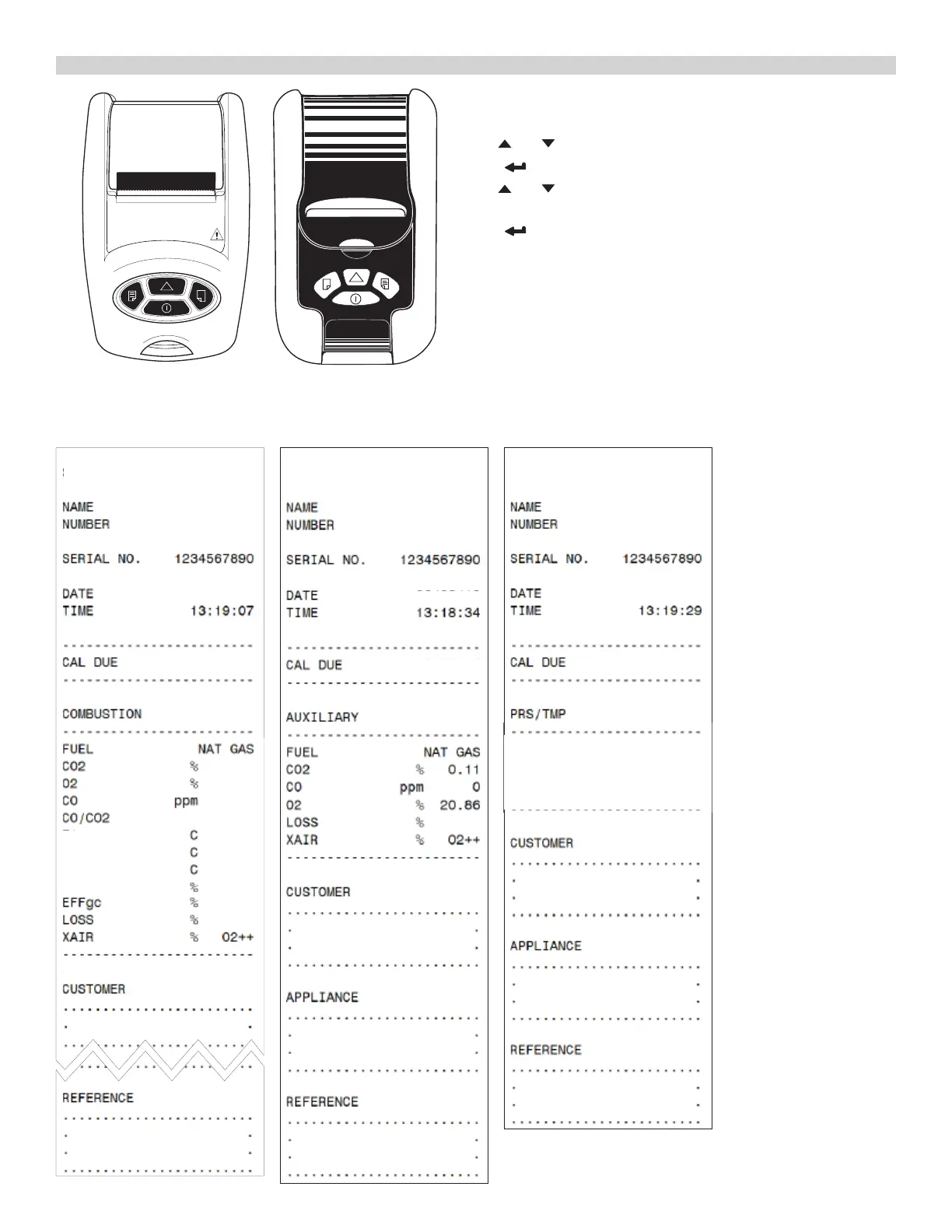
[IRP2] [KMIRP2]
Selecting a Printer
Rotate selector Dial to Menu Position.
Use or buttons to scroll to IR PRINT.
Press button.
Use or buttons to select either IRP-2 or KMIRP (KMIRP2)
printer.
Press button to save selection.
Printing
To print, simply press and release the PRINT BUTTON. Printing can
be aborted by pressing the PRINT BUTTON again.
UEi Infrared Printer
Make sure the printer is switched on, ready to accept data and its
infrared receiver is in line with the analyzer’s infrared emitter (on top
of the analyzer).
Combustion
UEi Test Instruments
SW20157 0.3083
0.11
20.76
1
0.0009
----
----
83.9
----
----
----
T1
T2
Ti
NETT
11/16/19
09/26/20
Auxiliary
0.1
11/16/19
09/26/20
UEi Test Instruments
SW20157 0.3083
Pressure/Temp
----
----
----
----
11/16/19
09/26/20
°F
°F
°F
°F
T1
T2
Ti
NETT
UEi Test Instruments
SW20157 0.3083



 To Next Page