23
CLEANING THE GLASS PLATE
After a lot of printing, there sometimes can be too much excess glue stuck to the glass plate. This can cause an uneven
print surface and it is therefore recommended to clean the glass plate once in a while. When doing this, always make
sure that the Ultimaker 2 is turned o and build plate has cooled down.
1. Before taking out the glass plate, first manually move the build plate to the bottom of the Ultimaker 2. This way
damage on the print head or Z trapezoidal leadscrew is prevented.
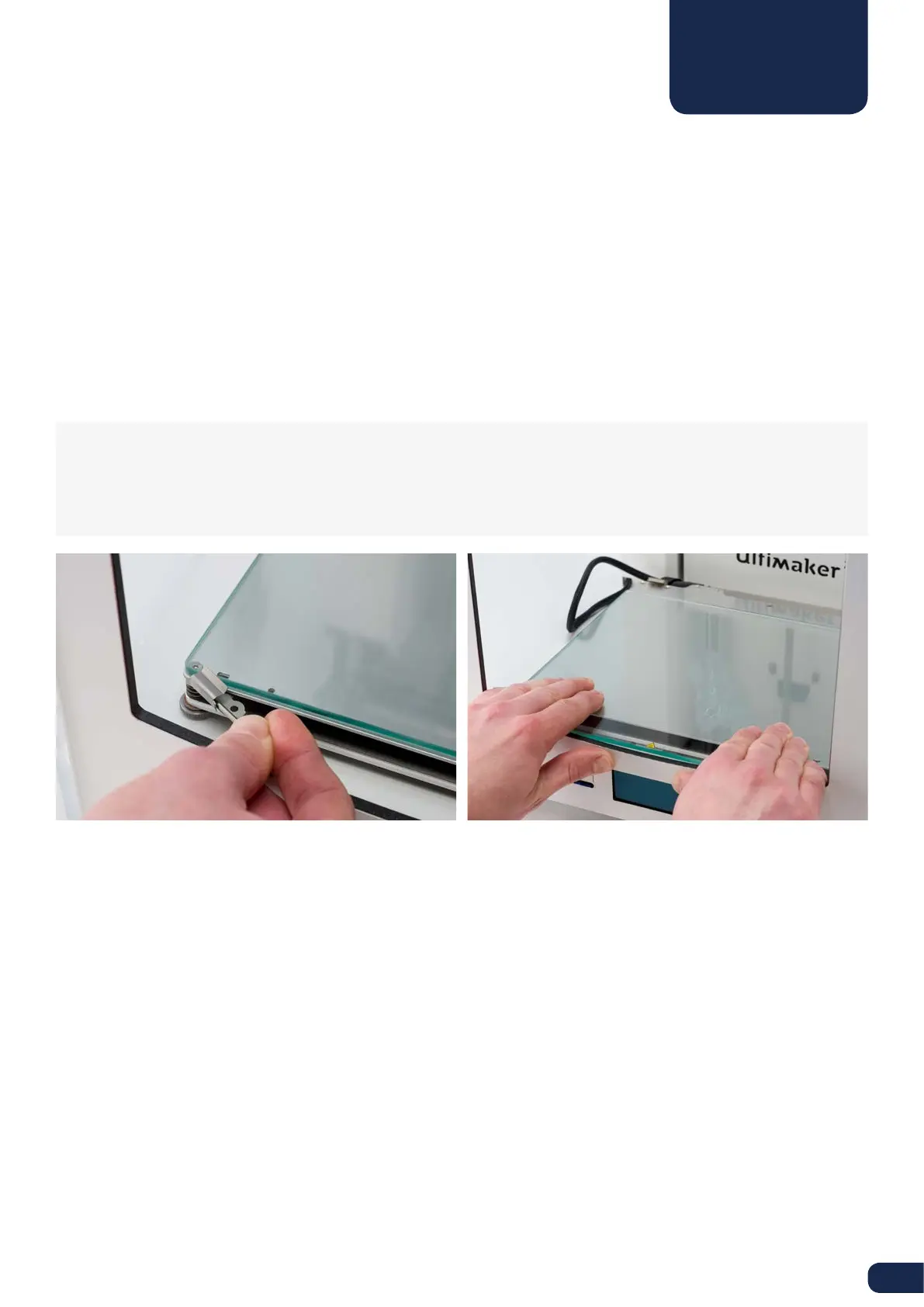
2. Open up the build plate clamps at the front side by using a hex wrench.
3. Slide the glass plate to the front of the build plate until you can take it out of the Ultimaker 2.
4. For cleaning it is advised to use some warm water and to brush o any excess glue. If necessary you can also use
some soap to clean it.
5. The glass plate can simply be place back by sliding it onto the build plate until it snaps into the build plate clamps at
the back of the build plate. Close the build plate clamps at the front side by hand in order to secure it.
CAUTION: The glass plate is positioned on an electrical heating area, so make sure it is completely dry before
placing it back.
NOTE: In order to be sure about a successful next print we recommend to re-level the build plate after having
repositioned the glass plate.
GLASS PLATE



 To Next Page