24 25
Under the data inquiry mode, press key SAVE to exit the data inquiry and hold,
store the data.
Under setting alarm critical value status, it is required to press key POWER or
key AL 3 seconds to exit the status and continue to hold and store data.
The stored data would not lose when power-on after power off the meter.
6 Data Inquiry
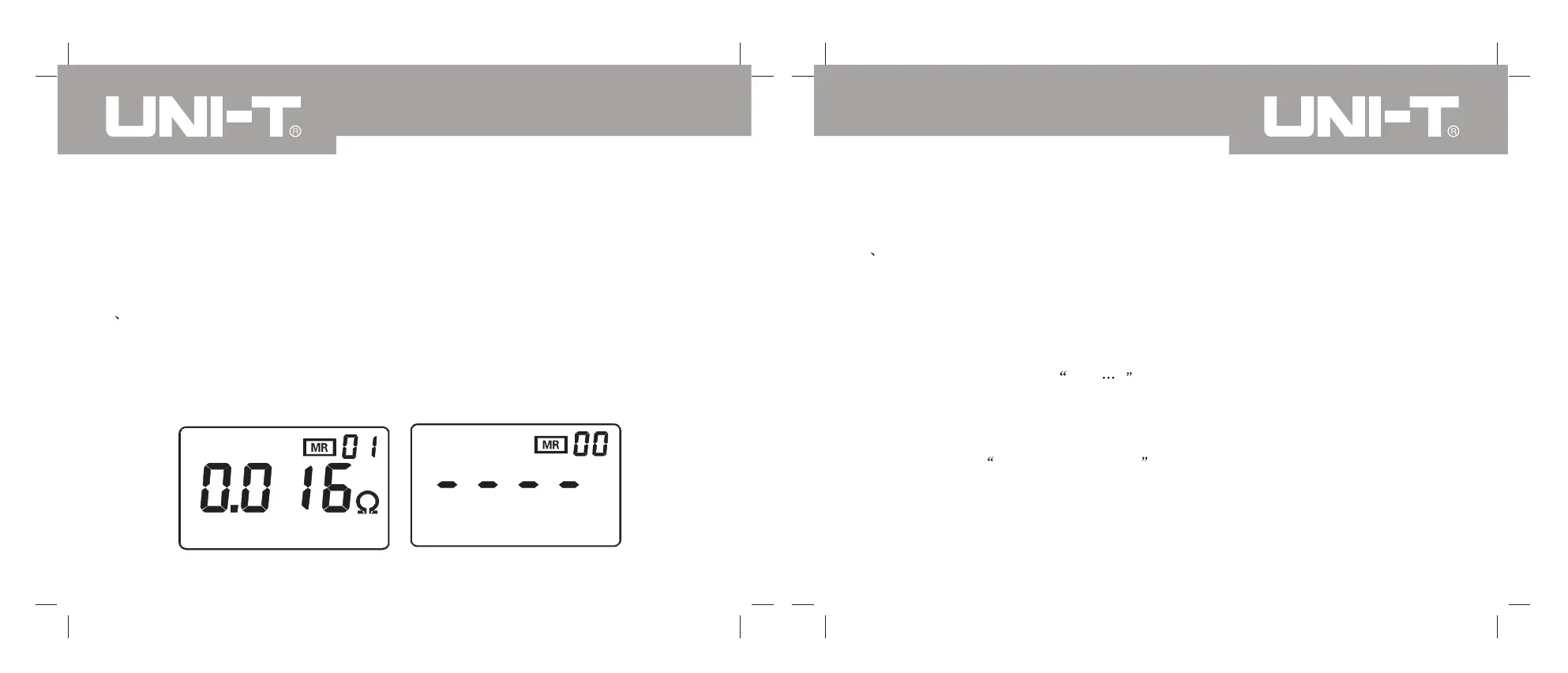
Press key SAVE to enter into the stored data inquiry mode and display the No 01
group stored data, as shown in picture 1 1. Then press the right arrow key , inquiry
upward stored data or press the left arrow key to inquiry downward all stored data.
If no stored data, it will display as shown in picture 12.
Picture 11
Picture 12
Under setting alarm critical value status, it is required to press key POWER to exit
the status and press key SAVE to enter into the stored data inquiry mode.
7 Alarm Function Setting
Under the test mode, press key AL to open or close the alarm function.
Under the test mode, press key AL 3 seconds to enter into the alarm critical value
setting function, and the highest digit number shall flicker; set the highest digit as
shown in picture 13 and 14. Press key AL to convert the number on high digit and
low digit. When the present digit number is flickering, press right and left arrow
key to change the number 0,1, 9 after setting all numbers, press key AL 3
seconds to confirm the set alarm critical value. It means it is able to operate the
alarm function and then back to the measurement mode automatically. If the load
is bigger the alarm critical value, the meter shall display alarm symbol with
sporadic sounds beep--beep--beep-- .
During the set process, press key POWER to exit the alarm critical value setting
function and back to the measurement status, without changing the previous set
value.
Under the data inquiry mode, press key SA VE to exit the mode and to set the
alarm critical value.
UT276A/278A OPERATING MANUALUT276A/278A OPERATING MANUAL


 To Next Page