13
KEY PRESS
PRESS/
HOLD
PRESS+
PROG
PRESS/
HOLD+
PROG
▲ (UP) Channel
Selection
Resume
Scan
Change
Scan
direction
Channel
Scroll
Channel
selection to
CH1
NA
▼ (DOWN) Channel
Selection
Resume
Scan
Change
Scan
direction
Channel
Scroll
Channel
selection to
CH21
NA
PTT Push to talk NA NA
BASIC OPERATION
Turning the
radio on
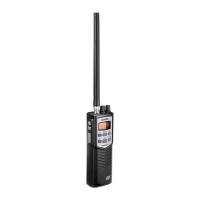
Turn the Volume knob clockwise until it clicks and
the LCD display turns on.
Turning the
radio off
Turn the Volume knob counter-clockwise until it
clicks and the LCD display turns off.
Adjusting
Squelch
Turn the Squelch knob counter-clockwise to open
squelch or clockwise to close it.
Selecting a
channel
Press the ▲ or ▼ button on the side to move up or
down the channel list. Press and hold the buttons to
move quickly through the channels.


 To Next Page