-33- © 2020 unitech Electronics Co., Ltd. All rights reserved.
unitech is a registered trademark of unitech Electronics Co., Ltd.
MS852B Plus User’s Manual
2.25.3 Mobile Phone Read Mode
When this mode is selected, your scan engine is optimized to read bar codes
from mobile phone or other LED displays. However, the speed of scanning
printed bar codes may be slightly lower when this mode is enabled.
You can enable Mobile Phone Reading for either a hand held device, or for a
hands-free (presentation) application.
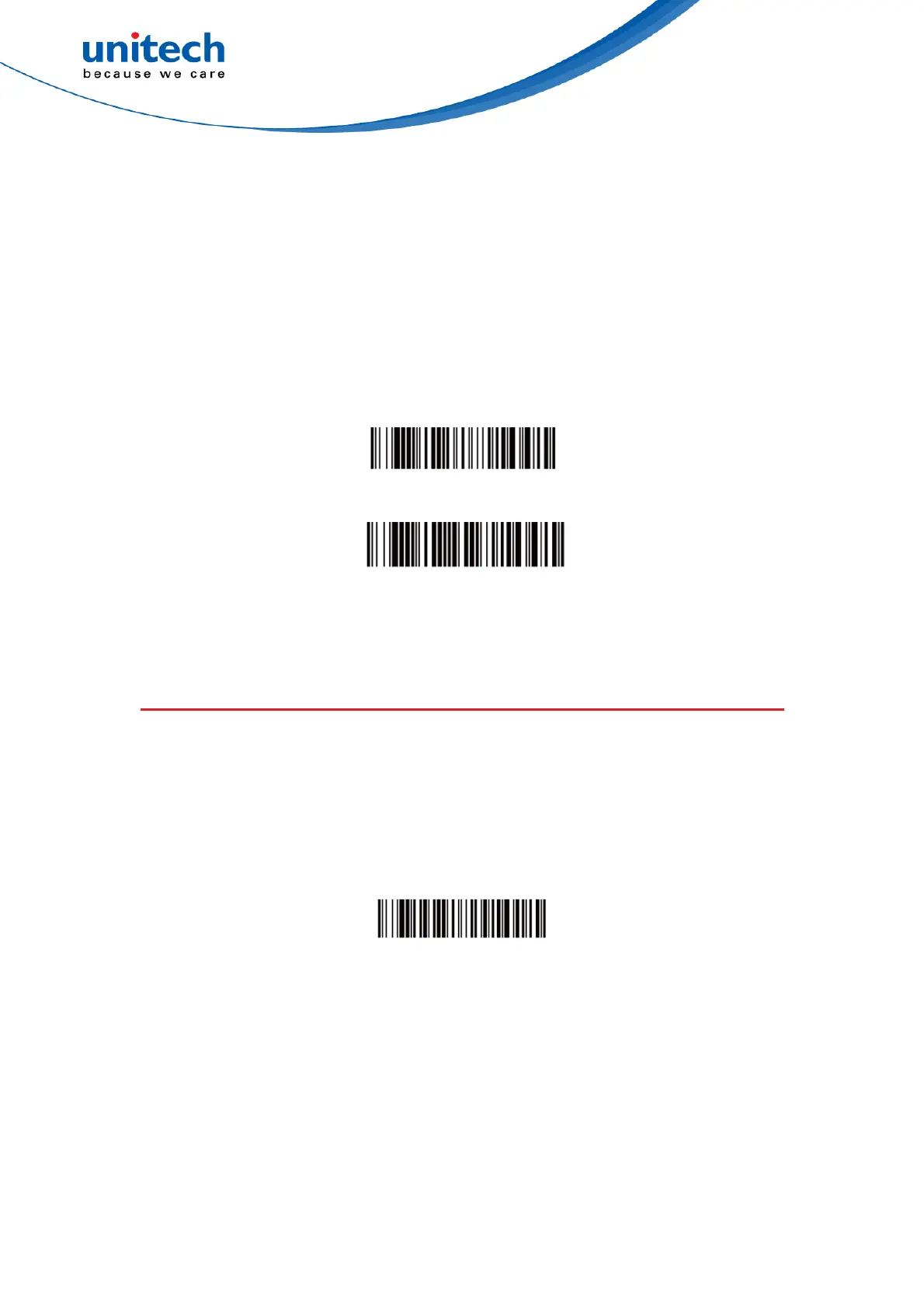
Hand Held Scanning - Mobile Phone
Streaming Presentation - Mobile Phone
2.26 Suffix Selection
2.26.1 Add CR Suffix All Symbologies
Scan the following bar code if you wish to add a carriage return suffix to all
symbologies at once.
Add CR Suffix All Symbologies


 To Next Page