EasyManua.ls Logo

Unitronics Vision V130-J-B1 - Technical Specifications

Unitronics Vision V130-J-B1
15 pages
Print Icon
To Next Page IconTo Next Page
To Previous Page IconTo Previous Page
Loading...
VisionPLC+HMI User Installation Guide
12
Unitronics
VisionPLC+HMI
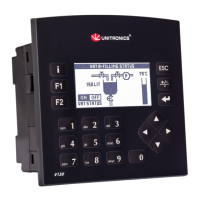
V130-33-B1/V130-J-B1
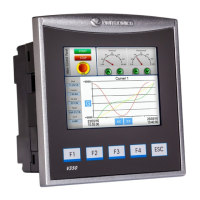
V350-35-B1/V350-J-B1
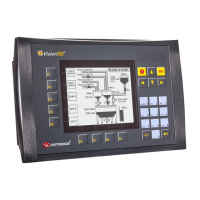
V430-J-B1
Technical Specifications
Order Information
Item
V130-33-B1
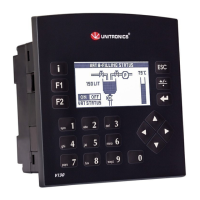
PLC with Classic panel, Monochrome display 2.4"
V130-J-B1
PLC with Flat panel, Monochrome display 2.4"
V350-35-B1
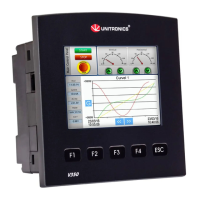
PLC with Classic panel, Color touch display 3.5’’
V350-J-B1
PLC with Flat panel, Color touch display 3.5’’
V430-J-B1
PLC with Flat panel, Color touch display 4.3’’
You can find additional information, such as wiring diagrams, in the product’s installation guide
located in the Technical Library at
www.unitronics.com.
Power Supply
Item
V130-B1
V130J-B1
V350-B1
V350J-B1
V430J-B1
Input voltage
12VDC or 24VDC
Permissible range
10.2VDC to 28.8VDC with less than 10% ripple
Max. current
consumption
See Note 1
200mA@12VDC
220mA@12VDC
220mA@12VDC
100mA@24VDC
110mA@24VDC
110mA@24VDC
Notes:
1. To calculate the actual power consumption, subtract the current for each unused element from the maximum
current consumption value according to the values below:
Input voltage
Backlight
Ethernet card
V130/J
12V
20mA
70mA
V350/J/V430J
40mA
70mA
V130/J
24V
10mA
35mA
V350/J/V430J
20mA
35mA
Graphic Display Screen
Item
V130-B1
V130J-B1
V350-B1
V350J-B1
V430J-B1
LCD Type
STN, LCD display
TFT, LCD display
TFT, LCD display
Illumination backlight
White LED
White LED
White LED
Display resolution
128x64 pixels
320x240 pixels
480x272 pixels
Viewing area
2.4"
3.5"
4.3"
Colors
Monochrome
65,536 (16-bit)
65,536 (16-bit)
Screen Contrast
Via software
(Store value to SI 7,
values range: 0 to 100%)
Fixed
Fixed
Touchscreen
None
Resistive, analog
Resistive, analog
‘Touch’ indication
None
Via buzzer
Via buzzer
Screen brightness control
Via software
(Store value to SI 9,
0 = Off, 1 = On)
Via software
(Store value to SI 9, values range: 0 to 100%)
Virtual Keypad
None
Displays virtual keyboard when the application requires
data entry.

Related product manuals