Easy In, Easy Out
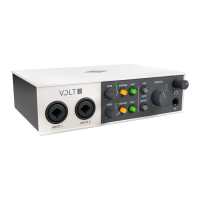
Volt 4 gives you simple audio connections to quickly get started. Just plug your mics and guitars
into the front panel preamps, and use the line inputs for synths and drum machines. Then
connect your speakers or headphones to monitor your audio with no latency. With Volt, you’ll be
creating like a pro, fast.
Get a 30-day Free Trial to UAD Spark
Start creating music with the best gear ever made using UAD Spark, an ever‑expanding library
of world‑class plug‑ins and instruments for a low monthly price. UAD Spark plug‑ins run natively
on Mac and will give your recordings the professional analog tones heard on your favorite
albums.
Try UAD Spark
Stay Inspired with a Curated Suite of Audio
Software
Some audio interfaces give you a smattering of random audio apps. Not Volt. Instead, we put
together a bundle of serious music production tools, virtual instruments, and plug‑ins from the
industry's best.
iPad & iPhone Ready
Traveling light? Plug Volt 4 into your iPad or iPhone, and you can easily create beats and
samples, record your band’s rehearsals, and edit songs anywhere (requires external Volt power
supply and an Apple Lightning to USB Camera Adapter, except iPads with USB-C).
Key Features
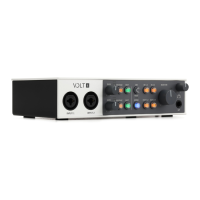
Desktop 4-in/4-out USB audio interface with class-leading 24-bit/192 kHz audio conversion
for Mac, PC, iPad, and iPhone













 To Next Page