TV OR SET-TOP BOX CONTROLS continued
Move [ ]
Use PIP MOVE key to move the window picture to
different positions in the main picture.
Sur Snd [ ]
Use the Sur Snd + (or Sur Snd -) keys to adjust
the surround sound speaker levels.
PIP Ch [ ]
Use PIP CH + (or PIP Ch -) keys to select the next
higher (or lower) PIP channel.
PREPROGRAMMED DEVICES
If you have any of the following preprogrammed
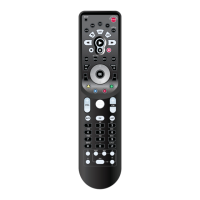
devices, you may start using your Kameleon-C6
Remote immediately.Your Kameleon-C6 Remote
is preprogrammed to operate the following
brands:
10 Preprogrammed Devices
KAMELEON-C6 REMOTE
Brand
RCA
RCA
RCA
Scientific Atlanta
Pioneer
Pioneer
Device
TV
VCR
DVD
Cable
AUX
Audio
Code
0047
0060
0522
1877
0032
0123



 To Next Page