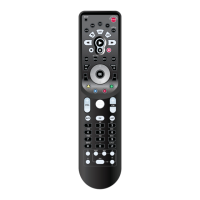
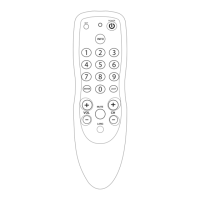
Kameleon-C6 Remote Keypad
Overview
Familiarize yourself with the unique features of
your Kameleon-C6 Remote. Up to six devices
can be controlled by your Kameleon-C6
Remote, as indicated by the icons on the top of
the keypad.
You can program your Kameleon-C6 Remote to
control your devices using these device mode
keys.
Each device mode has a main and a menu
screen– you can readily switch between these
two screens for each device mode by hitting
the scroll key.Your Kameleon-C6 intuitively
displays only the active keys for each device
mode.
Kameleon-C6 Remote Keypad Overview 5
Introduction
Batteries\Keypad OverviewGlossary\Trouble Shooting Programming Remote
Advanced Options
Manufacturer Codes
BATTERIES/KEYPAD OVERVIEW
CABLE MAIN SCREEN
CABLE MENU SCREEN
PRESS THE SCROLL
K
EY TO SWITCH TO
THE MENU S
CREEN
FOR EACH DEVICE
.
D
EVICE
MODE KEYS



 To Next Page