CHANNEL & VOLUME CONTROL KEYS continued
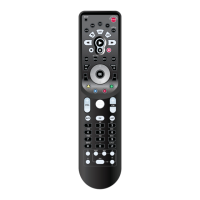
Fav [ ]
Use Fav key to cycle through your favorite chan-
nels stored in your cable converter.
Scroll [ ]
Use the Scroll key to cycle through the available
device screens for the selected mode.
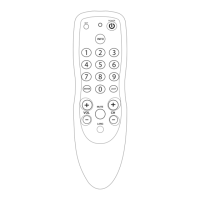
CH [ ]
Use CH+ (or CH-) key to select the next higher
(or lower) channel.
For amplifiers/receivers, use these keys to select the
next higher (or lower) preset station.
MENU NAVIGATION
Menu [ ]
Press Menu key once to display the selected
device’s menu options.
Guide [ ]
Use Guide key to display the program Guide.
Info [ ]
Use Info key to display the current channel and
program information.
Exit [ ]
Use Exit key to exit out of the selected device’s
menu or guide.
Settings [ ]
Press Settings key once to access additional cable
features.
For DVD, use Settings to access the DVD Players
internal SETUP menu.
Surround [ ]
In AUDIO or AUX mode,use Surround key to
change the surround sound settings.
Cursor [ ]
Use the Cursor keys to move the cursor in the pro-
gram guide and menu screens and to navigate
within the interactive service. Use OK/SELECT
key to choose options while using the Guide or
Menu key of the selected device.
Page [ ]
Use Page + (or Page -) key to page up (or page
down) through menu screens and the program
guide.
8 Keypad Functions
KAMELEON-C6 REMOTE



 To Next Page