Pr
ogramming Your Kameleon-C6
Remote
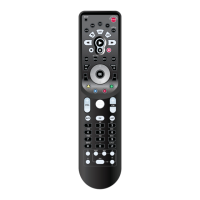
The device mode keys located at the top of
your Kameleon-C6 Remote are designed to
control:
TO PROGRAM YOUR KAMELEON-C6
REMOTE
To set up ot h er devices,perform the following
steps to program your Kameleon-C6 Remote.
Repeat the steps for each desired device one at
a time.
1. Turn your device on.
2. Find your device code in the Manufacturer
Code section (see page 28-41). The most com-
mon code for each brand is listed first.
3. Press the desired device mode key on your
Kameleon-C6.
4. Press Setup for at least 3 seconds. The bot-
tom of the IR indicator will blink twice.
5. Enter the first four-digit Manufacturer
Code. The bottom of the IR indicator will
blink twice.
6. Lastly, aim the Kameleon-C6 at your device
and press Power.Ifthe device does not
respond, repeat steps 3-5 using the next
Manufacturer Code listed under your brand.
7. Repeat the process for each additional device
you would like to program into the remote.
Programming Your Kameleon-C6 Remote 11
Introduction
Batteries\Keypad OverviewGlossary\Trouble Shooting Programming Remote
Advanced Options
Manufacturer Codes
PROGRAMMING REMOTE
TV
•Cable Box
•Video
Accessory
•DVD
•VCR
•PVR
•Amp/Tuner
•Amplifier
•CD
•Home
Theater in
Box
•VCR
•DVD
•PVR
•Amp/Tuner
•Amplifier
•CD
•Home
Theater in
Box



 To Next Page