Learn- v. It is the ability to transfer functions
from your original remote to your Kameleon-
C6 Remote. See “The Learning Feature” on
page 17.
Learning Feature- n. The Learning Feature is
a feature of your Kameleon-C6 Remote that
allows it to “learn”functions from your original
remote. See page 17.
Macro- v. To program a sequence of actions
into one key press. See “Creating Other
Macros” on page 20.
Original Remote- n. Refers to the original
remote control that your Kameleon-C6 Remote
is replacing.
PIP- n. short for Picture in Picture. It is one of
the TV/Set-top box controls on your
Kameleon-C6 Remote.
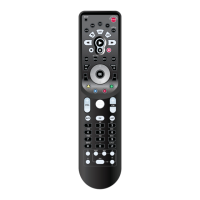
Power- n. Power is a key on the top middle of
your Kameleon-C6 remote. See your
“Kameleon-C6 Keypad Overview”on page 6.
PVR- n. short for Personal Video Recorder. It is
one of the devices that can be programmed
under the DVD and VCR device mode key on
your Kameleon-C6 Remote.
Setup,Setup Key- n. It is a key on the top
middle of your Kameleon-C6 Remote. It is
mainly used in all of the programming steps.
See “Kameleon-C6 Keypad Overview”on page 6.
TV- n. short for Television. It is one of the
device modes on your Kameleon-C6 Remote.
See “Kameleon-C6 Keypad Overview”on page 6.
TV/VCR Combo- n. It is a device that includes
both a TV and a VCR in one unit. See “Trouble
Shooting”on page 23.
VCR- n. short for Video Cassette Recorder. It is
one of the device modes on your Kameleon-C6
Remote. See “Kameleon-C6 Keypad Overview “
on page 6.
VOD- n. short for Video on Demand.It is one
of the Macro keys on your Kameleon-C6
Remote. See “Kameleon-C6 Keypad Overview”
on page 6.
Glossary 25
Introduction
Batteries\Keypad OverviewGlossary\Trouble Shooting Programming Remote
Advanced Options
Manufacturer Codes
GLOSSARY



 To Next Page