Installing Batteries
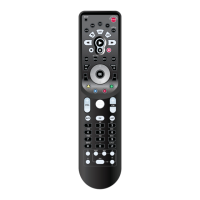
Your Kameleon-C6 Remote requires batteries.
Four AAA alkaline batteries are included so you
can immediately enjoy your Kameleon-C6
Remote.
ABOUT REPLACING BATTERIES
• Use only new batteries of the required size and
recommended type.
• Do not mix old and new batteries, different
types of batteries (e.g. standard, alkaline or
rechargeable), or rechargeable batteries of differ-
ent capacities.
• If you do not plan to use the remote for an
extended period of time,remove the batteries.
Batteries can leak chemicals that can destroy elec-
tronic parts.
• Dispose of old batteries promptly and properly.
• Do not burn or bury them.
Replace your batteries when one of the follow-
ing conditions occurs:
• The bottom segment of the IR indicator blinks 5
times after each keypress.
• The remote no longer responds to movement.
TO INSTALL BATTERIES
1. Unscrew and remove the battery cover from
the back of your Kameleon-C6 Remote.
2. Match the batteries to the “+” and “-”marks
inside the battery case, then insert the batteries
accordingly.
3. Reposition the battery cover and tighten the
screw.
R
EMEMBER
• YOUR KAMELEON-C6 REMOTE HAS PERMANENT MEMORY RETENTION.
REMOVING THE BATTERIES WILL NOT REQUIRE YOU TO REPROGRAM THE
REMOTE.
• YOUR KAMELEON-C6 WILL “SLEEP”(TURN OFF) AFTER 7 SECONDS OF
INACTIVITY TO CONSERVE THE BATTERIES
.PICKING UP THE REMOTE OR
PRESSING ANY KEY WILL TURN ON THE REMOTE AND THE KEYPAD BACK-
LIGHT.
• T
HE FIRST TIME YOU INSTALL BATTERIES, YO U WILL NEED TO PRESS THE
TOUCH-PANEL TO ACTIVATE THE REMOTE CONTROL.
4 Installing Batteries
KAMELEON-C6 REMOTE



 To Next Page