INSTALLATION
Section 2-7
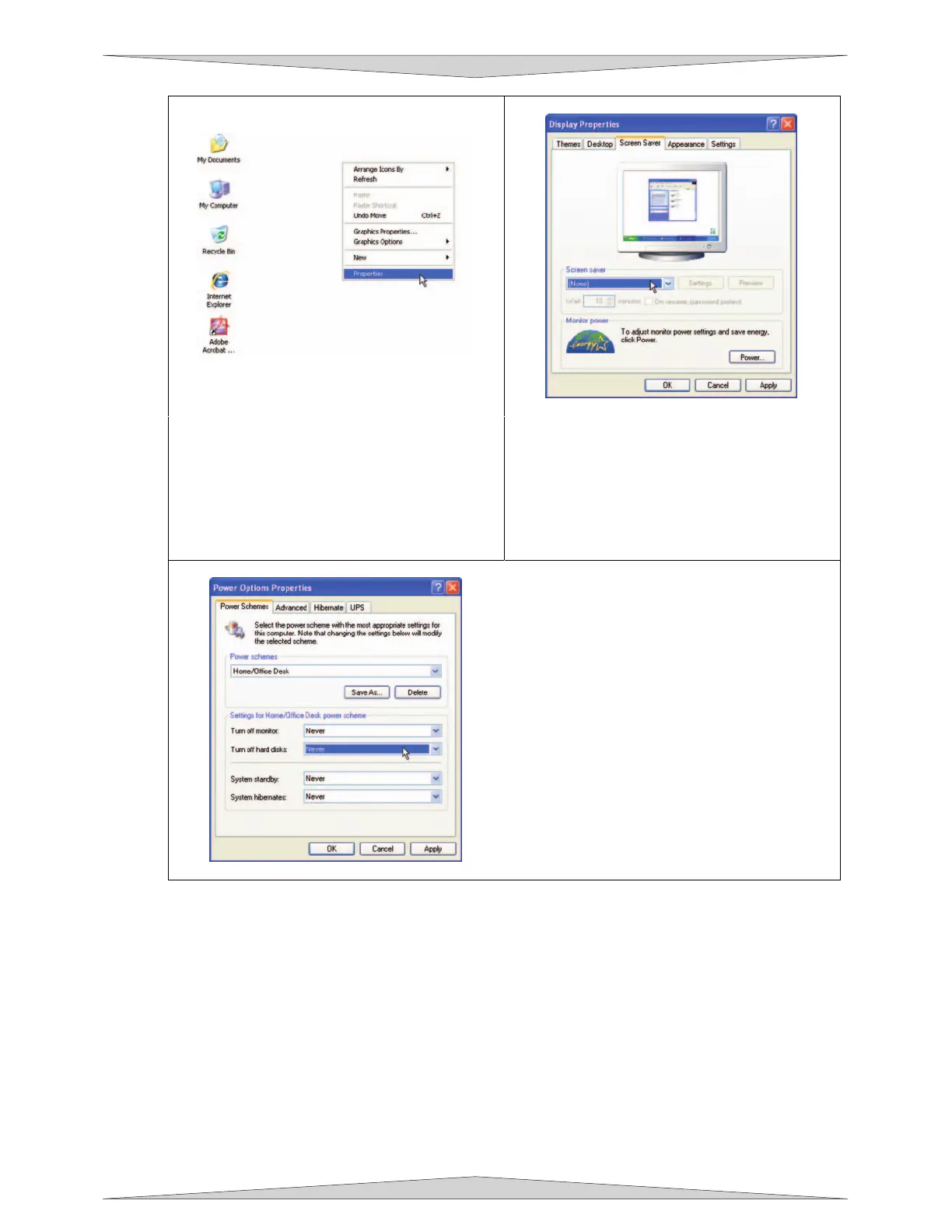
1. To properly configure Power
Management in your Windows XP
computer, right-click on your
desktop.
2. From the list of options, select
“Properties”. The “Display Properties”
box will open.
3. In Display Properties, select the Screen
Saver tab. Set the Screen saver to
“(None)”.
4. Then in the box “Monitor power”, Click
the button “Power…”
5. Select the tab “Power Schemes”.
6. For the Power Scheme in use, select
“Never” for all the setting options: Turn
off monitor, Turn off hard disks, System
standby, and System hibernates.
7. Click “Apply”, then “OK” on both open
windows.
If you have further questions on how to configure or upgrade Windows XP, please contact
Microsoft Corporation.
NOTE: Your chosen graphical software AND PLS software MUST be
installed and operational before operating the machine.



 To Next Page