23
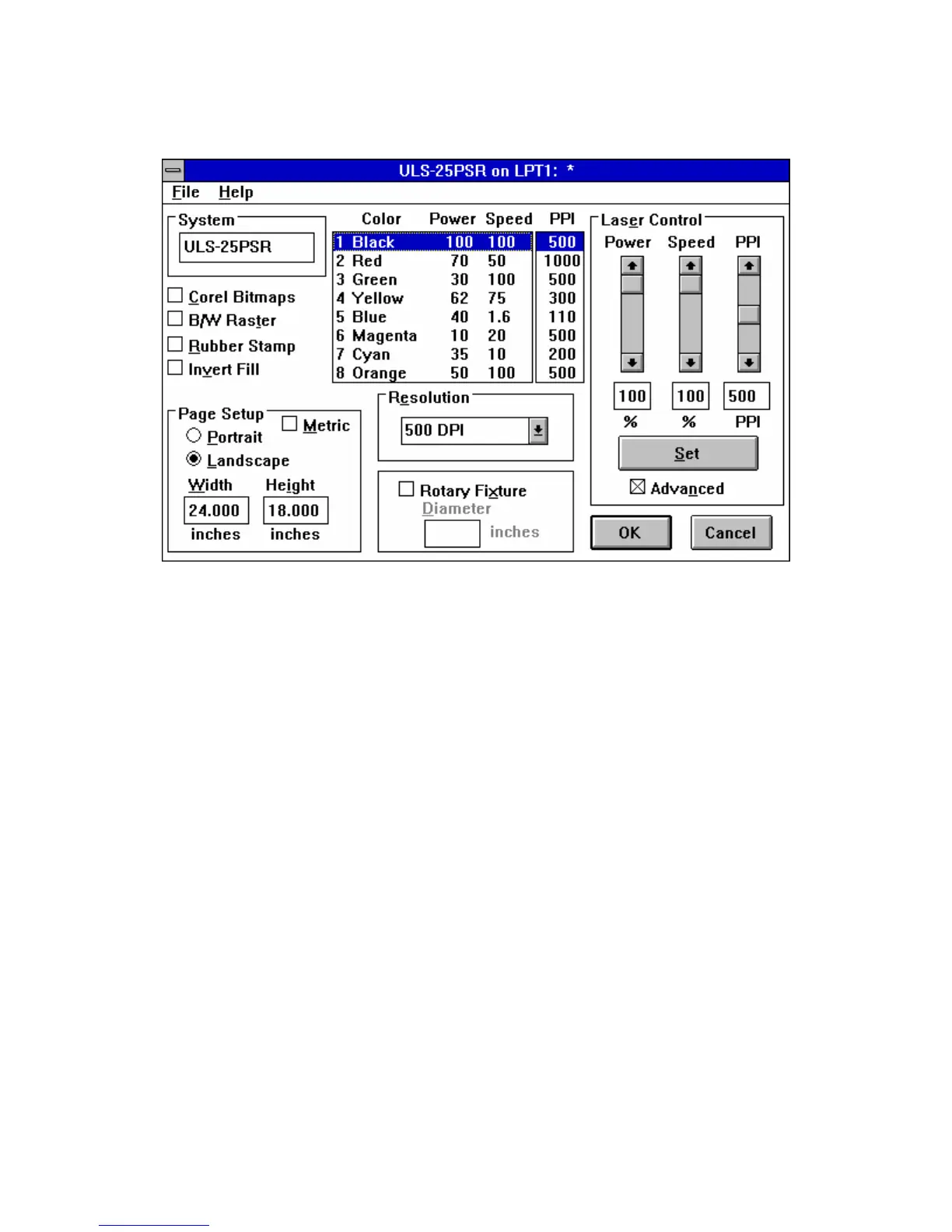
3.2 THE ULS WINDOWS PRINTER DRIVER
The ULS Windows Printer Driver
NOTE: When the following sections refer to turning a switch ON, this means putting an "X" in the
box next to the driver selection desired. Turning a switch OFF signifies removing the "X" from the box.
To change the POWER, SPEED, and PPI of a color, position the mouse arrow on the color and
click once with the left mouse button. This will highlight the color and allow changing of the settings by
using the scroll bars or highlighting out and typing in each setting. It is possible to set one color at a time
or click on additional colors to set more than one at a time.
POWER SETTING
Laser power is controlled by assigning the percentage of power from 0 - 100% to each color used in
the graphic drawing. Since the laser is proportionally pulsed, this percentage represents how long the
laser remains on for each laser pulse fired. Basically, the power setting is directly related to how deep
the engraving will be.



 To Next Page