33
restore it to the original setting. It is possible to adjust the settings while engraving on some scrap
material until the desired POWER, SPEED, and PPI settings are obtained. Note these settings,
change them in the ULS Windows printer driver and resend the file to the laser system for the final run.
Lastly, the laser system allows eight different power settings to be saved in memory and used when
processing a DOS based file. Since a DOS based printer driver is not available, the 8 power settings
must be set manually on the laser system. Think of it as being able to assign laser POWER, SPEED,
and PPI to the pens on a flatbed plotter. This is not necessary when using Windows since all settings
can be set in the driver.
To access the power settings, press the SELECT key when the cursor is on POWER SETTINGS,
then use the up and down arrow keys to scroll through settings 1 through 8. When the desired power
setting number is found, press the SELECT key again to bring the cursor over to the left hand side of
the display, and proceed to make the adjustments as previously described. If setting the PPI higher
than 1000, the laser system will display the word “CONTINUOUS”. This mode is used for
maintenance procedures and is not used under normal operation.
NOTE: Do not use power setting #WIN because this power setting is used by the ULS Windows
printer driver to temporarily store information during operation, and any settings stored
there will be lost.
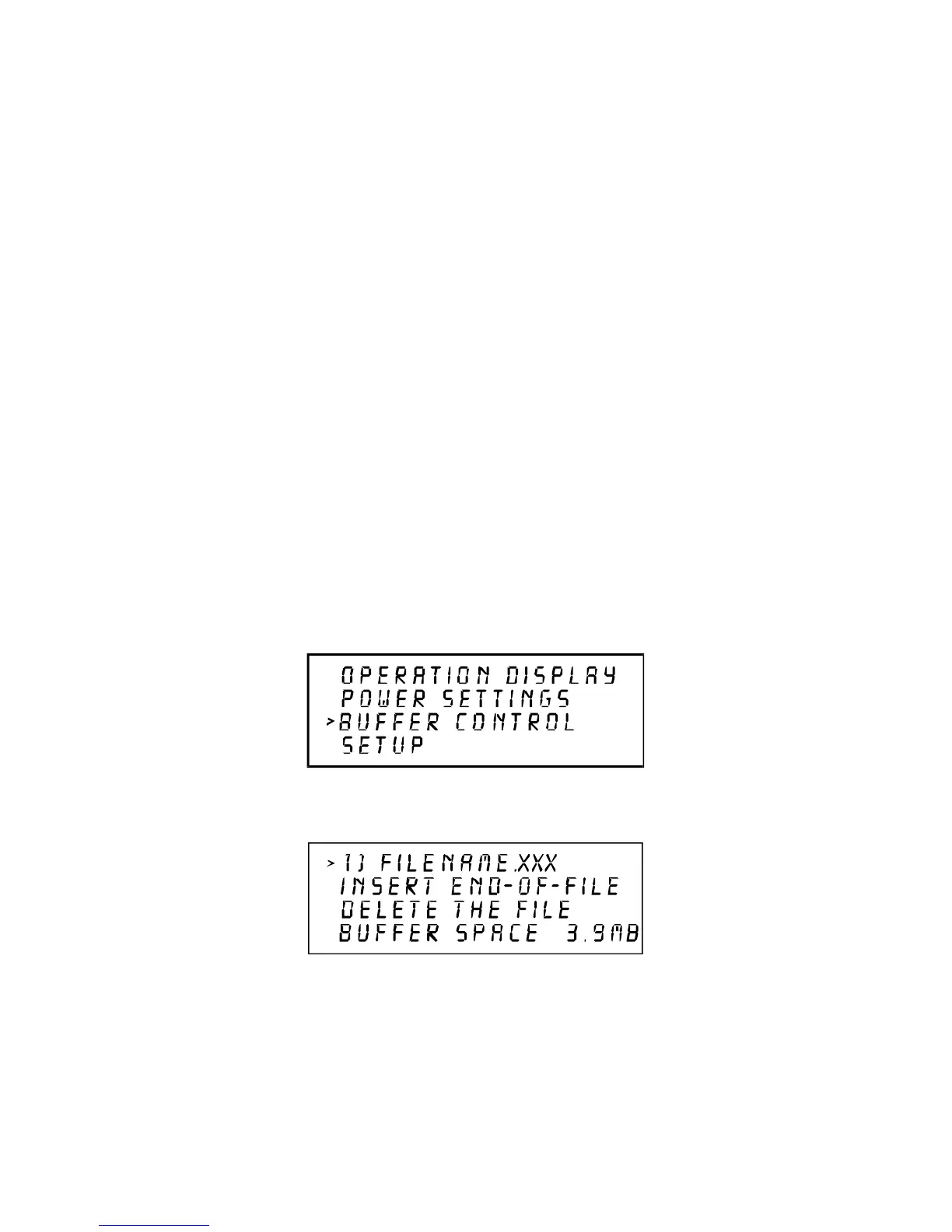
The BUFFER CONTROL submenu
Then
The laser engraving system comes equipped with a built in 4 megabyte memory buffer which is
expandable to 16 megabytes. The buffer has built in file handling intelligence enabling each individual file
in the buffer to be run in any order. The files are stored sequentially based on the order in which they
were transferred from the computer and each one is assigned a number to help for tracking. A running
total of the free space left in the buffer is provided at the bottom of the display. A small amount of
memory is used by the system so there will never be a full 4 megabytes free. The file name displayed on



 To Next Page