51
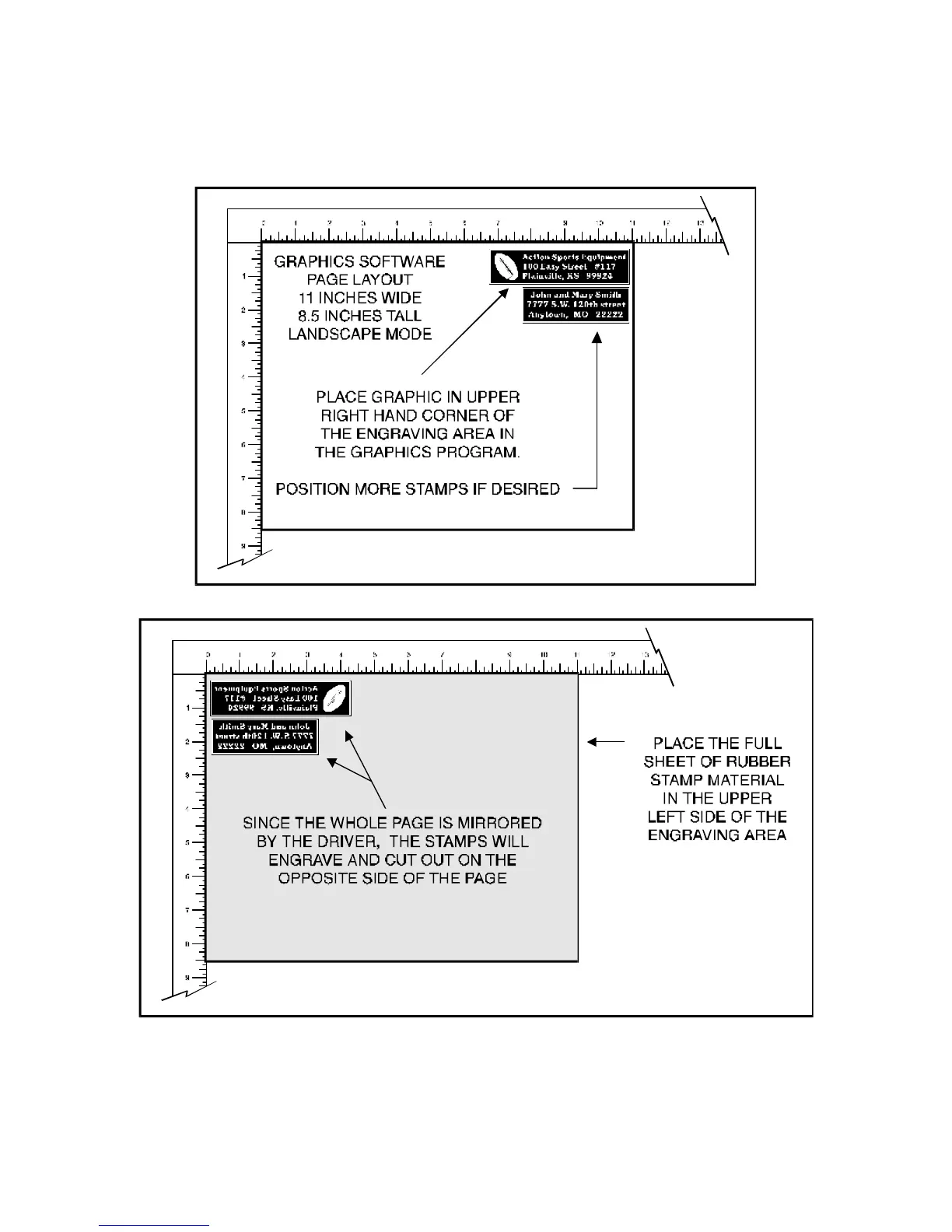
example. The following diagram shows an example of setting up the graphics software’s page layout
and positioning the rubber engraving material inside the laser system respectively.
After making all driver selections, print the graphic to the laser system. Start engraving and notice that
the stamps are being engraved as a mirrored image and are in the correct position on the rubber sheet.
The background area, since it is colored black is being engraved and the letters remain standing up.



 To Next Page