MSC-400 Reference Manual
Rev 4
47
Smart Macro Alias Window
6. Click the first SMART MACRO in the list that is to be added to the TOGGLE MACRO. Click OK. The
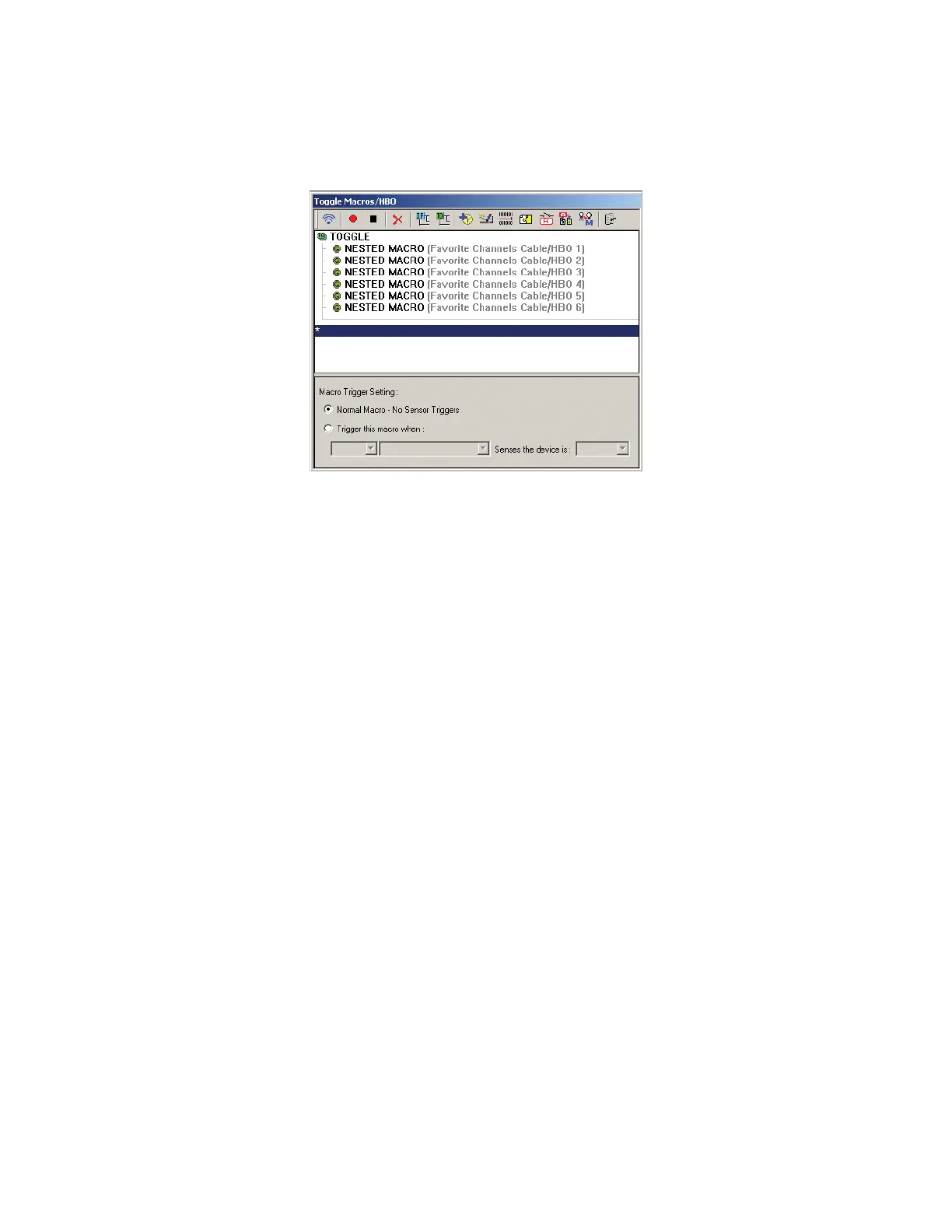
FAVORITE CHANNEL MACRO will be nested within the TOGGLE MACRO BRACKET.
Toggle Macro
7. Repeat STEP 6 for all HBO FAVORITE CHANNEL SMART MACROS to be added to the TOGGLE
MACRO. (The ‘Favorites’ should have already been tested, so there is no need to test the nested
macros at this point.)
8. SAVE the PROJECT and DOWNLOAD to the MSC-400. See Section: SAVING AND
DOWNLOADING A MSC-400 PROJECT for additional information.
9. In MX/TX EDITOR, open the associated REMOTE PROJECT.
10. Drag the TOGGLE MACRO TRIGGER(S) the appropriate BUTTON(S). See Section:
PROGRAMMING MACRO TRIGGERS TO THE REMOTE for additional information.
11. SAVE the PROJECT and DOWNLOAD to the REMOTE. See Section: SAVING AND
DOWNLOADING A MX/TX PROJECT
for additional information.
With this programming, the user will be able to cycle through all 6 HBO Channels by repeatedly pressing
the button that the Toggle Macro has been programmed to.



 To Next Page