EasyManua.ls Logo

Universal MSC-400 - User Manual

Universal MSC-400
94 pages
Print Icon
To Next Page IconTo Next Page
Loading...
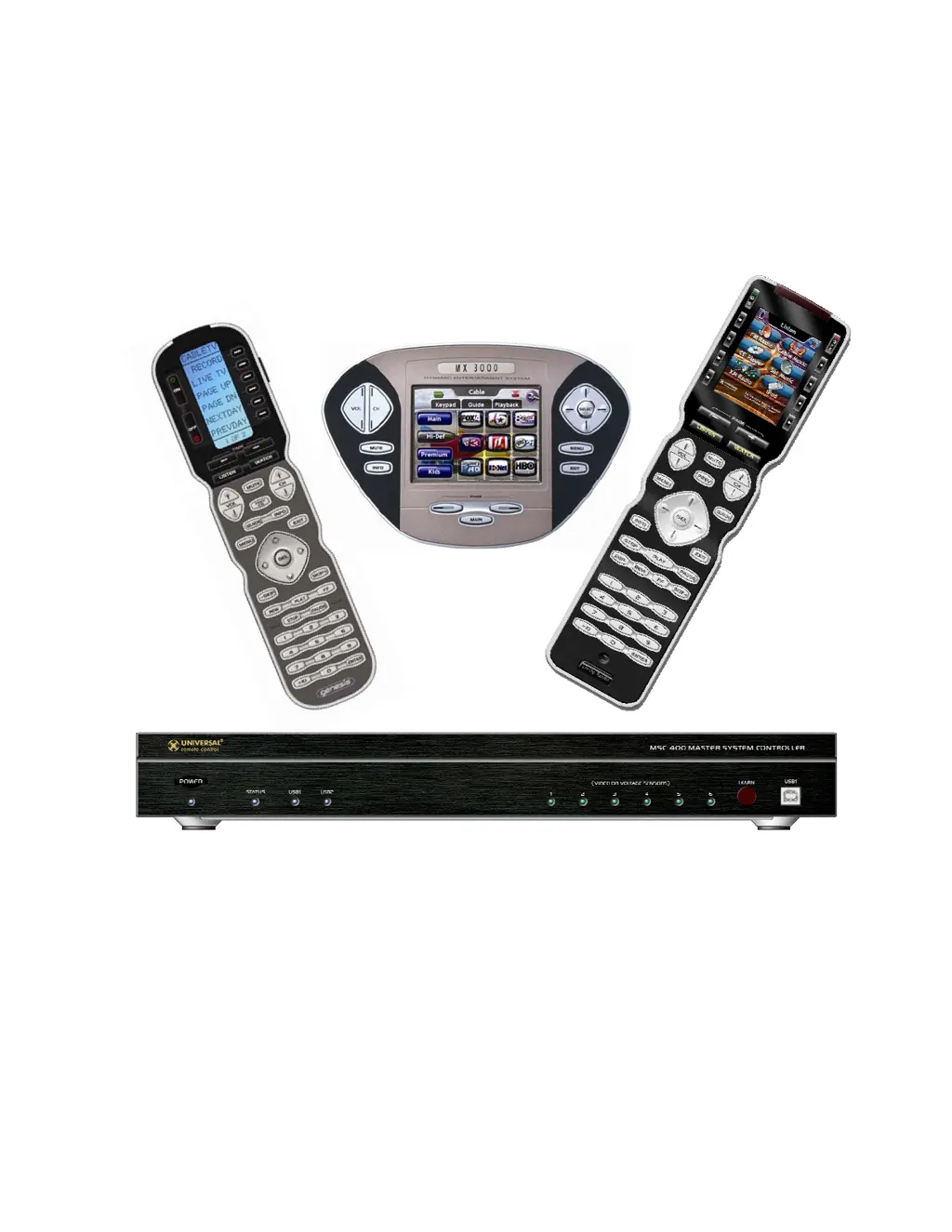
MSC-400
Reference Manual

Questions and Answers

  • K
    Karen GonzalesAug 14, 2025
    What to do if Universal MSC-400 Controller does not output IR commands?
    • P
      pgilesAug 14, 2025
      If your Universal Controller (MSC-400) is not outputting IR commands, first verify the IR command programming, IR port configuration, and RFID configuration (if ports 7-12 are used for IR) for the connected devices. Also, check the emitter connection to the assigned IR port, ensure it's properly positioned over the IR eye on the controlled device, and adjust the IR output level if necessary.
  • J
    jeff79Aug 17, 2025
    What to do if Universal Controller does not receive RF commands from remote?
    • J
      Jody PattersonAug 17, 2025
      If your Universal Controller (MSC) does not receive RF commands from the remote, check the connection of the RFX-250 to the MSC-400. If the RF LED is flickering or illuminated, try repositioning the RFX-250 to improve reception. Also, confirm the configuration of RFIDs in both the MX/TX Editor for the remote and the MSC Editor for the MSC-400. Finally, confirm the remote programming in RF Setup for IR & RF output, device command programming, and Macro Trigger programming.
  • A
    Aaron MitchellAug 21, 2025
    What to do if Universal MSC-400 does not output RS232 commands?
    • B
      Brooke SimsAug 21, 2025
      If the Universal Controller (MSC) does not output RS232 commands, verify the RS232 command programming and port configuration for the connected devices. Also, ensure that the serial port settings have been downloaded to the MSC-400 and confirm the connection to the correct RS232 port.
  • W
    william94Aug 25, 2025
    How to fix Universal MSC-400 when it will not power up?
    • P
      Patty JonesAug 25, 2025
      If your Universal Controller (MSC-400) will not power up, ensure the power adapter is connected to the MSC at an unswitched AC outlet. Also, in a Master/Slave system, both controllers must have their own power supply.
  • B
    Brandon SmithAug 27, 2025
    What to do if Slave Universal Controller does not output commands?
    • J
      James ThomasAug 27, 2025
      If your Universal Controller (MSC) slave controller does not output commands, confirm the RF connection between the controllers and the Port 12 connection between the controllers.
  • L
    Leslie NorrisAug 31, 2025
    What to do if Universal MSC-400 does not detect voltage sensor?
    • T
      Tracey SingletonAug 31, 2025
      If your Universal Controller (MSC) does not detect a voltage sensor, confirm the sensor connection to the sensed device, the control voltage from the sensed device, the sensor connection to the correct sensor port on the MSC-400, and the sensor port configuration.
  • J
    jasmine49Sep 3, 2025
    What to do if Universal Controller does not detect video sensor?
    • D
      David VasquezSep 3, 2025
      If your Universal Controller (MSC) does not detect a video sensor, confirm the sensor connection to the sensed device, the composite video output from the sensed device, the sensor connection to the proper sensor port on the MSC-400, and the sensor port configuration.
  • C
    Charles DuranSep 7, 2025
    Why video sensor status does not turn off on Universal MSC-400 Controller?
    • J
      Justin HowellSep 7, 2025
      If the video sensor status on your Universal Controller (MSC) does not turn off, confirm that the sensed device's composite video turns off in standby and is not outputting a black screen or other video signal.
  • E
    Eric BarberSep 10, 2025
    How to fix Smart Macros on Universal MSC-400 Controller when they do not maintain device ON/OFF sync with system status?
    • D
      Diana CarterSep 10, 2025
      If Smart Macros do not maintain device ON/OFF sync with system status on your Universal Controller, confirm the Smart Macro structure for all commands, IF/ELSE Statements, etc. Also, confirm Sensor connections and Configuration.

Summary

MSC-400 Installation Guide

MSC-400 and RFX-250 Installation

Procedures for installing the MSC-400 controller and RFX-250 sensor.

MSC-400 Programming Guide

Programming Overview and Tools

Introduction to MSC-400 programming software, required knowledge, and workflow.

Importing Remote Control Devices

Steps to import IR commands and device definitions from remote projects.

Assigning Devices and Routing to Ports

Assigning connected devices to specific IR output ports on the MSC-400.

Creating Smart Macro Groups

MSC-400 Smart Macro Window Functions

Overview of Smart Macro window tools for recording, testing, and editing macros.

Smart Macros with IF;ELSE Statements

Adding conditional logic to macros using IF/ELSE statements for smarter control.

Programming Sensor Triggered Macros

Saving and Downloading the MSC-400 Project

Testing RS-232 via PC with HyperTerminal

Using HyperTerminal for RS-232 Testing

Guide to setting up and using HyperTerminal for testing ASCII RS-232 codes.

Master;Slave Systems Configuration

Programming Master;Slave Systems

Guide to programming systems with two MSC-400 controllers in Master/Slave mode.

MSC-400 Troubleshooting Guide

Troubleshooting Common MSC-400 Issues

Solutions for power, RF, IR, RS232, sensor, and controller command output problems.

Universal MSC-400 Specifications

General IconGeneral
BrandUniversal
ModelMSC-400
CategoryController
LanguageEnglish