MSC-400 Reference Manual
Rev 4
56
SAVING AND DOWNLOADING A MSC-400 PROJECT
When all configuration and programming have been completed, the MSC-400 Project should be saved
and downloaded to the MSC-400.
Saving a MSC-400 Project
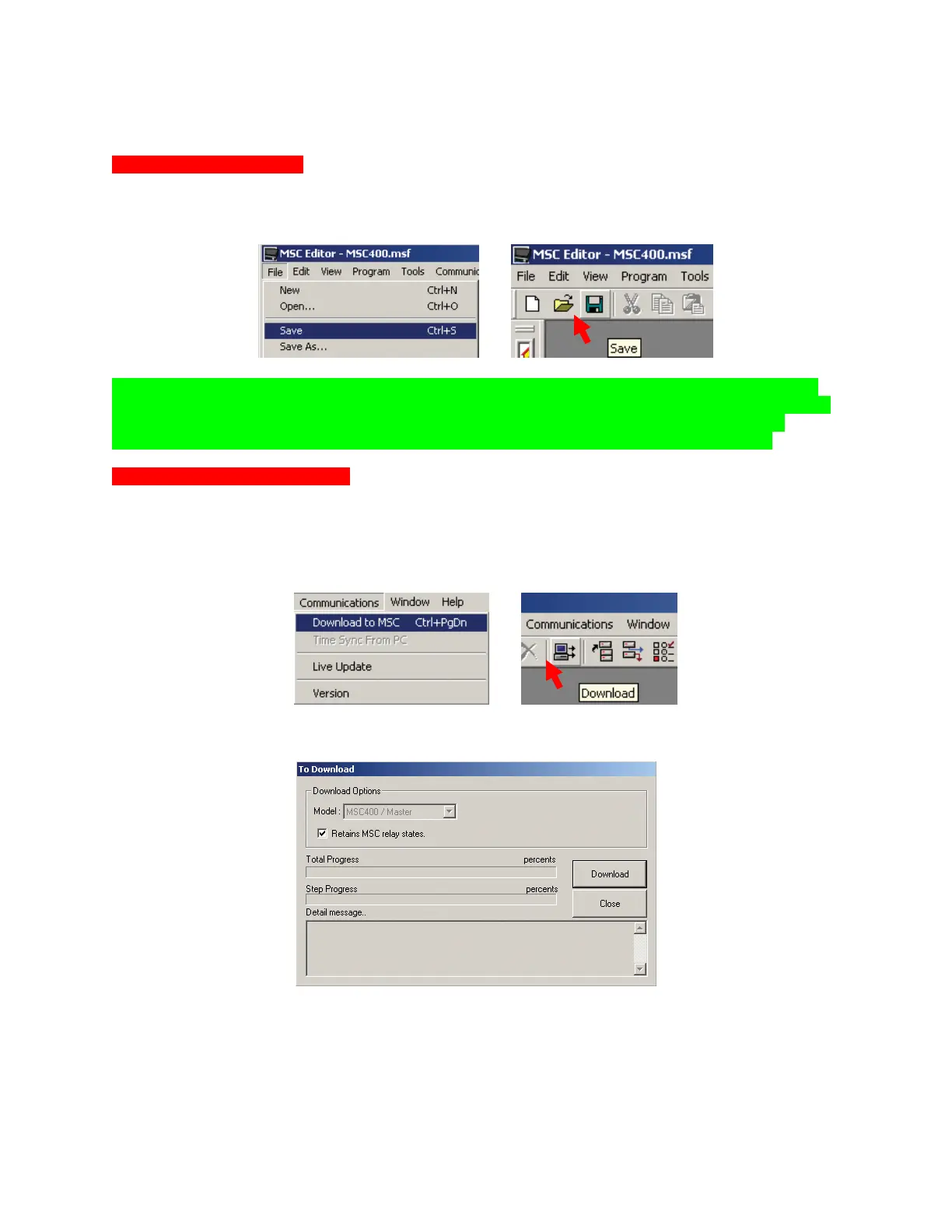
1. To Save, do either of:
a) In the MSC EDITOR MENU BAR, click FILE, then SAVE.
b) In the MSC EDITOR TOOL BAR, click the SAVE ICON.
1A
1B
TIP - If Saving a Project for the first time, a main Folder titled ‘Universal Remote Control’ should
have already been created in My Documents while configuring the remote and IR commands. It is
highly recommended that specific folders be created for Device Files and Project Files as a
method for easily being able to save and locate important system and programming data.
Downloading a MSC-400 Project
1. Using the included USB cable, connect a USB PORT on the PC to the USB1 PORT on the MSC-400
FRONT PANEL.
2. Do either of:
a) In the MSC EDITOR MENU BAR, click COMMUNICATIONS, then click DOWNLOAD TO MSC.
b) In the MSC EDITOR TOOL BAR, click the DOWNLOAD ICON.
2A
2B
3. The TO DOWNLOAD WINDOW will appear. Click DOWNLOAD. To cancel Download click CLOSE.
4. When successfully downloaded, the MSCEDIT WINDOW will appear with the message: THE
DOWNLOAD WAS SUCCESSFUL.
3



 To Next Page