MSC-400 Reference Manual
Rev 4
31
Program Menu Step #3 - Configuration
This section will assign the RFID settings for communication with the remote controls, con the Sensor
Inputs and con RS232 Ports 7-12.
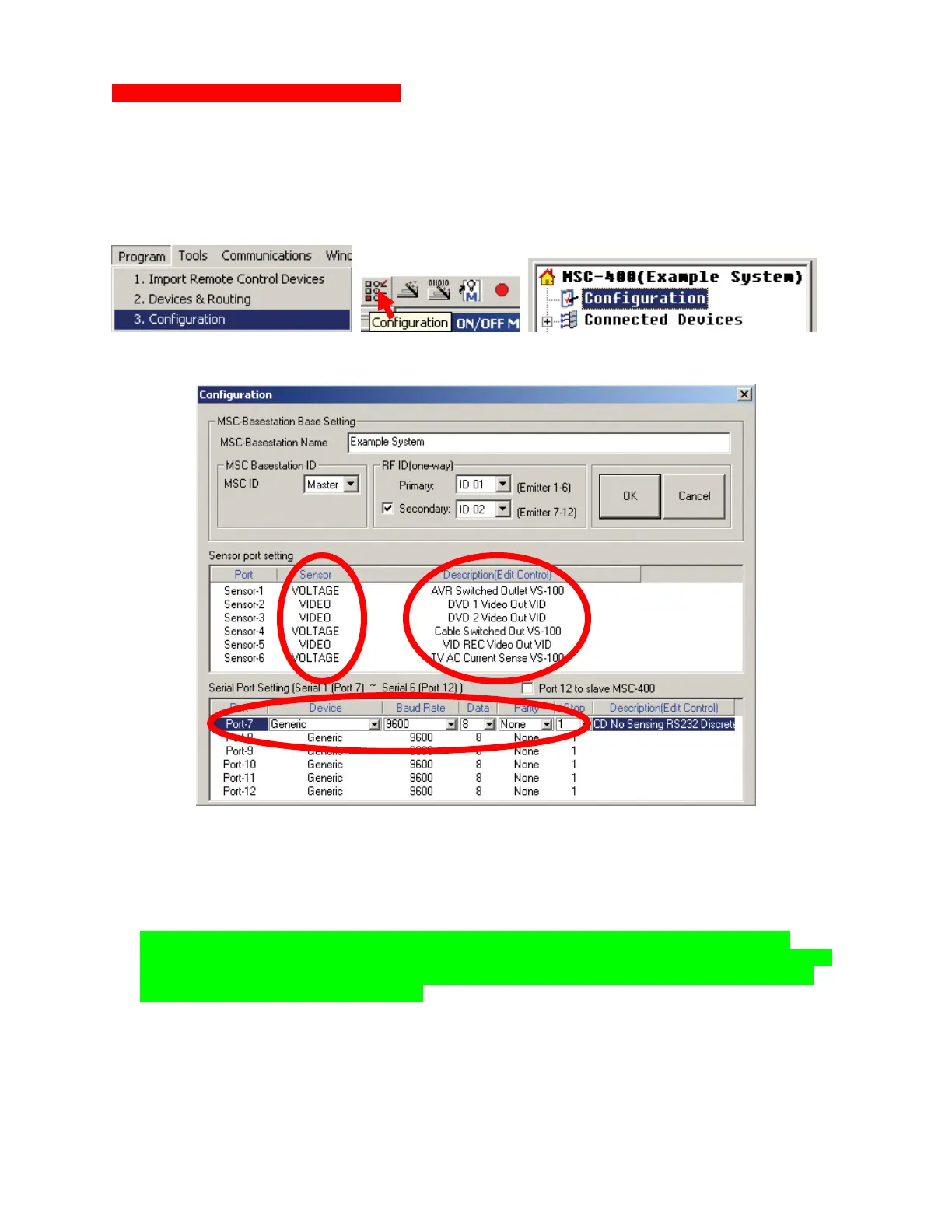
1. To open the CONFIGURATION WINDOW do one of:
a) In the MSC EDITOR MENU BAR, click PROGRAM, then click CONFIGURATION.
b) In the MSC-EDITOR TOOL BAR, click the CONFIGURATION ICON.
c) In MSC EDITOR TREE VIEW, double click CONFIGURATION.
The CONFIGURATION WINDOW will appear. Configuration Window.
Configuration Window
2. In the MSC BASESTATION BASE SETTING BLOCK, type the name of the system being
programmed. (Example System)
3. In the MSC BASESTATION ID BLOCK, select MASTER or SLAVE as appropriate.
NOTE - When programming a Master/Slave System, the overall configuration for the two
MSC’s is identical, other than the MSC ID Setting. When programming a Master/Slave System,
it is also necessary to check the Port 12 to Slave MSC-400 Box. This creates a Smart Macro
Control Buss between the Controllers.
4. To set RFID when using TX-1000 or MX-900 with MORE THAN 6 IR DEVICES on a MASTER or
SLAVE CONTROLLER:
a) Set the PRIMARY RFID ONLY. Use ID 11-1F for IR CONTROL from PORTS 1-12.
5. To set RFID when using MX-3000 or MX-950 with MORE THAN 6 IR DEVICES on a MASTER or
SLAVE CONTROLLER:
2
3
4-5
6 7
9
11
10



 To Next Page