MSC-400 Reference Manual
Rev 4
30
2A
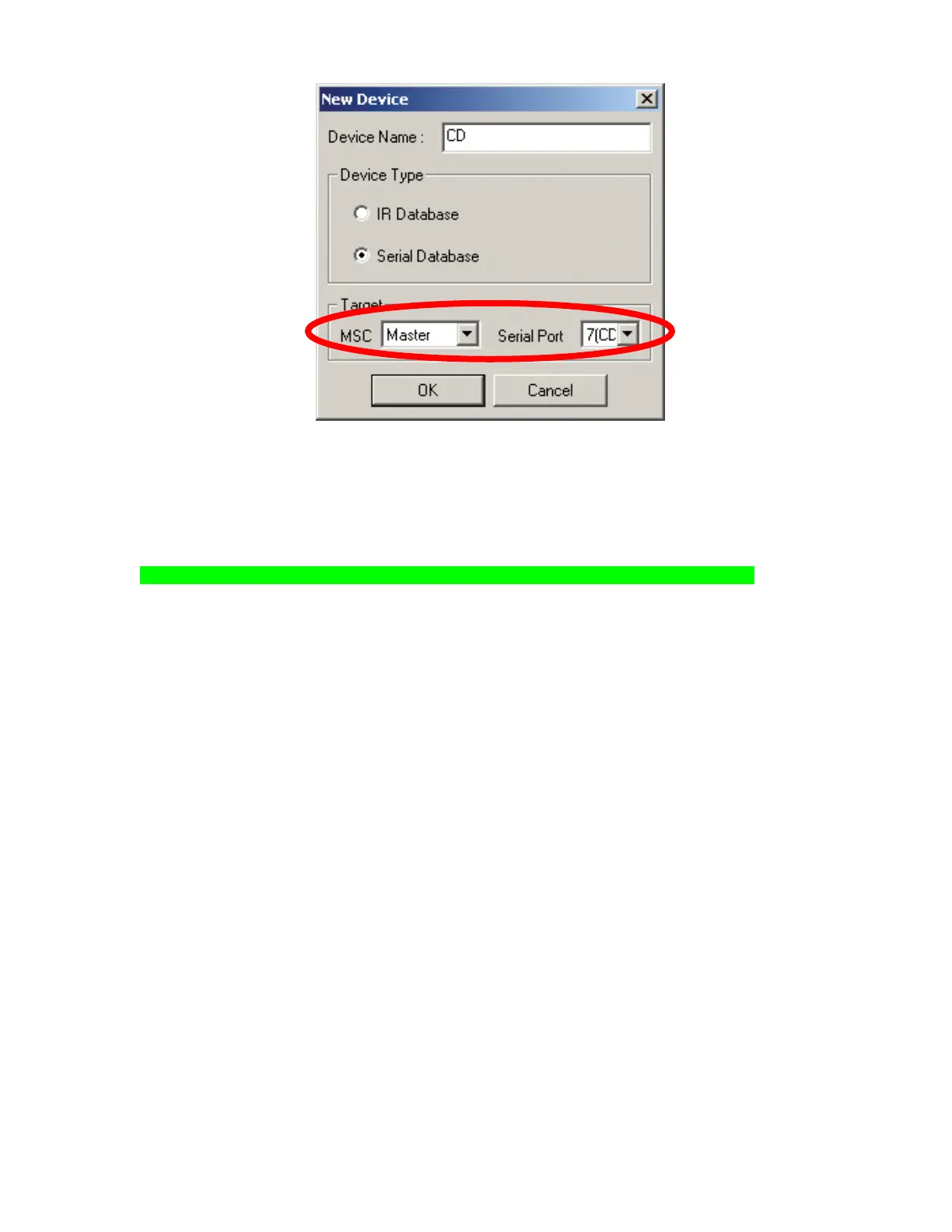
New Device Window
3. In the DEVICE NAME BOX type the device name as it is to appear in TREE VIEW/CONNECTED
DEVICES.
4. In the DEVICE TYPE BLOCK, select SERIAL DATABASE.
5. In the Target Block, select MSC MASTER or SLAVE and SERIAL PORT 7-12 as appropriate.
NOTE - In Master/Slave Systems only Ports 7-11 will be available for RS232 control.
6. Click OK. The NEW DEVICE WINDOW will close and the new device will appear at the bottom of the
CONNECTED DEVICES LIST in the DEVICES & ROUTING WINDOW.
7. In the DEVICES & ROUTING WINDOW, click SAVE AND EXIT. Closing the window (X) will NOT
save the new device.
8. The NEW DEVICE (ex. CD) will appear at the BOTTOM of the CONNECTED DEVICE LIST in TREE
VIEW.
3
4
5
6



 To Next Page