MSC-400 Reference Manual
Rev 4
29
Optional Step - Adding RS232 Devices
If your client’s system has a device that you intend to control via RS-232, here is how you add a new
Connected device that is RS-232. For more information on RS-232, refer to the RS-232 section of this
manual.
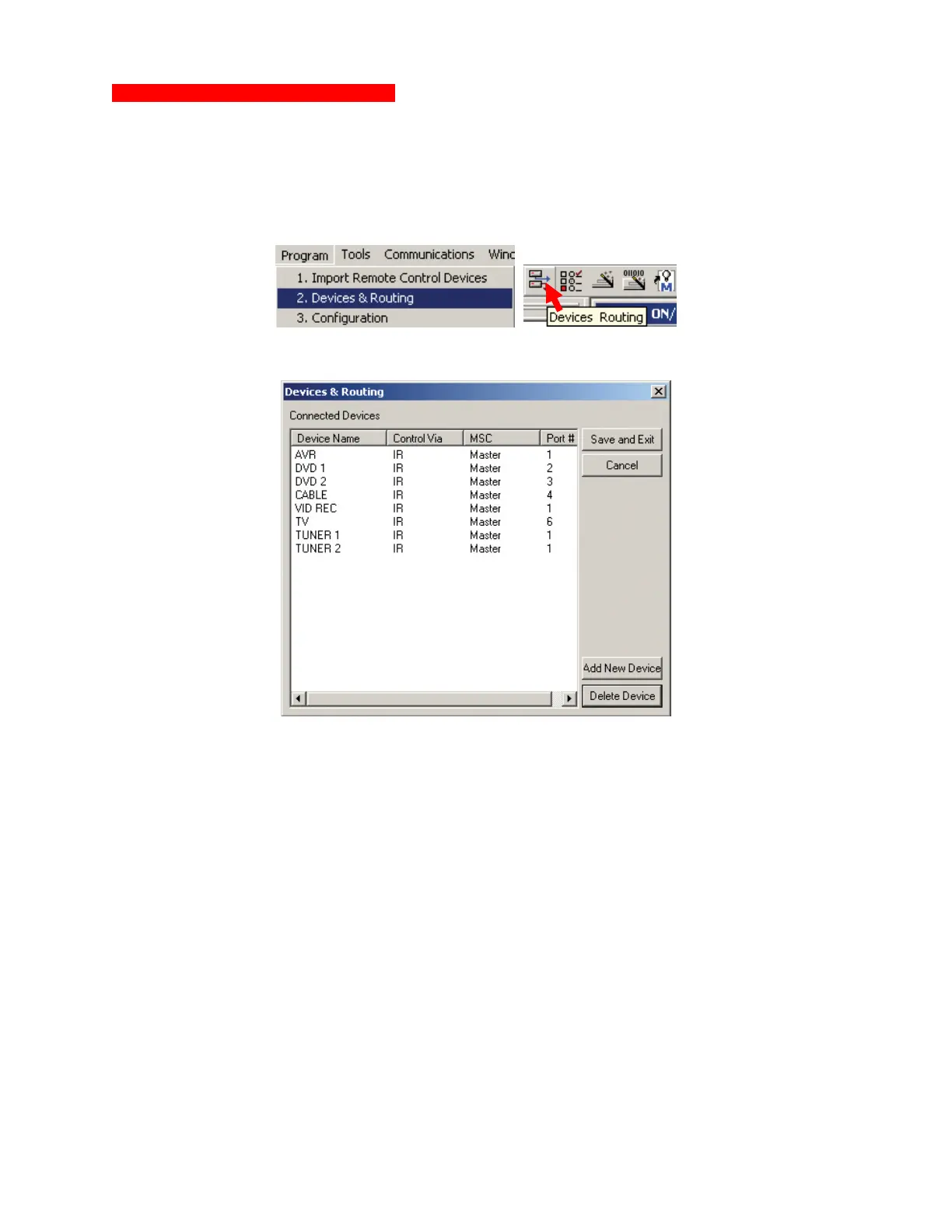
1. With a Project open in MSC Editor, do either of:
a) In the MSC EDITOR MENU BAR, click PROGRAM then click DEVICES & ROUTING.
b) In the MSC EDITOR TOOL BAR, click the DEVICES ROUTING ICON.
The DEVICES & ROUTING WINDOW will appear.
Devices & Routing Window
2. Click the ADD NEW DEVICE BUTTON.
a) The NEW DEVICE WINDOW will appear. New Device Window
7



 To Next Page