MSC-400 Reference Manual
Rev 4
73
Using HyperTerminal to Test ASCII RS-232 Codes
Introducing HyperTerminal
Even the most advanced programmers can sometimes have trouble utilizing RS-
232 commands. Poorly documented instructions can make it very difficult to determine
if you are properly coding your commands. Minor transcription errors can be easily
overlooked and even small flaw in the control cable can lead to hours of frustration as
you try to determine where the problem is. To make things easier, we’ve prepared this
document that explains how to set up and use HyperTerminal to test your codes and
your components.
HyperTerminal is a free program included with Microsoft Windows (get a Vista
compliant version here: http://www.hilgraeve.com/htpe/download.html ) that makes it
possible for your computer to send and receive RS-232 codes. This program will allow
you to verify that the RS-232 commands you’ve written for the MSC-400 are correct.
You can also use HyperTerminal to test the codes being sent out of the MSC-400 when
all other troubleshooting techniques have been exhausted. Keep in mind that this only
works for ASCII codes – we’re researching to find a program that serves this same
function for HEX based codes.
While this document will show you how to set-up and use HyperTerminal it is not
written as a primer on RS-232. For further details on what RS-232 is and how to use it
in the MSC-400, please view our tutorial now available on the installer only website.
How to set up HyperTerminal
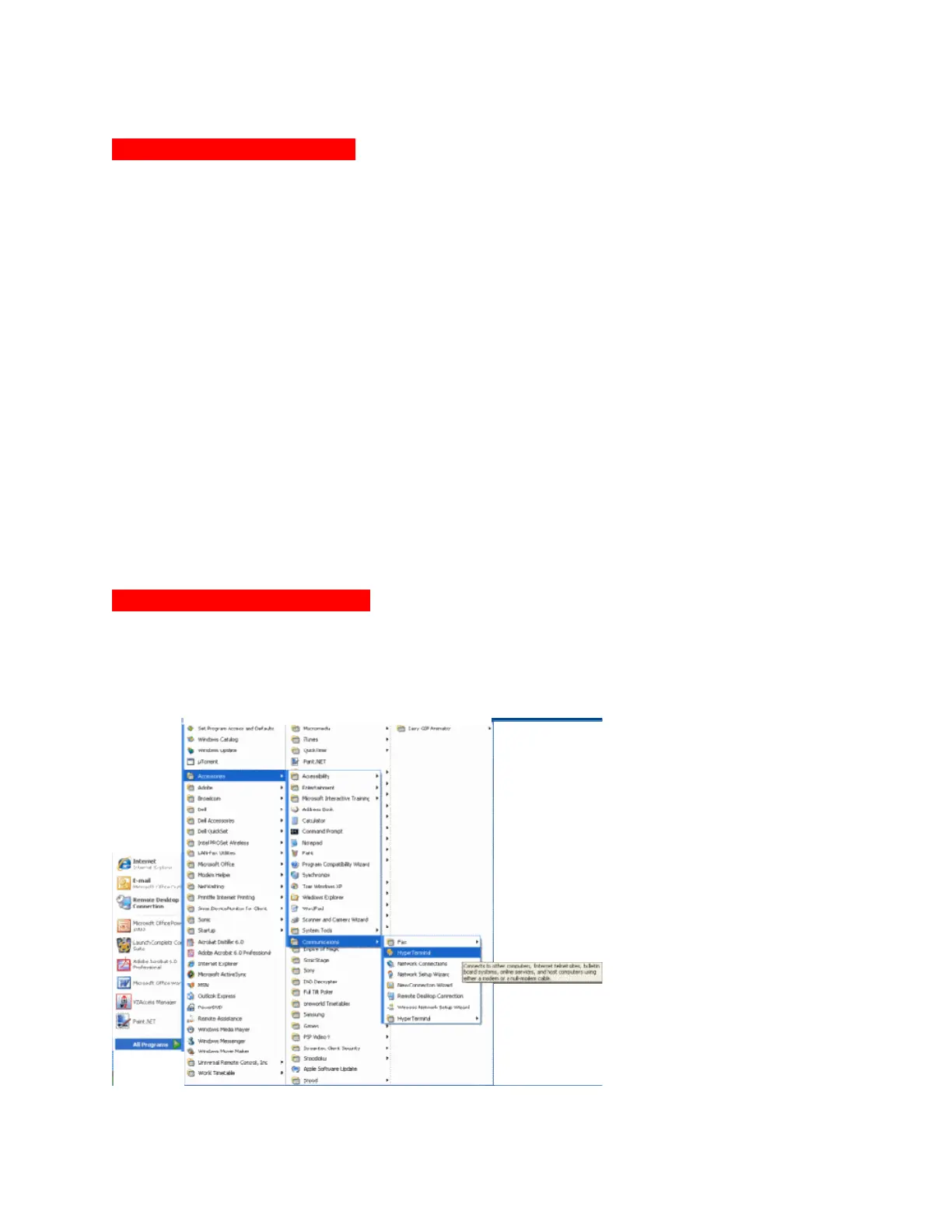
1. To use HyperTerminal you first need to open the program. Do this by clicking on
Start (bottom left corner of your screen), select Accessories, then select
Communications and finally HyperTerminal. This will open the HyperTerminal
program.



 To Next Page