ELECTRICAL INSTALLATION INSTRUCTIONS
FOR THREE PHASE MIXERS
NOTE:
3 phase mixers are shipped with an unattached power
supply cord.
IMPORTANT:
POWER SUPPLY CORD INSTALLATION AND
ELECTRICAL CONNECTION OF THESE MIXERS
MUST BE MADE BY A QUALIFIED, LICENSED
ELECTRICIAN FOLLOWING ALL LOCAL AND
NATIONAL ELECTRICAL CODES.
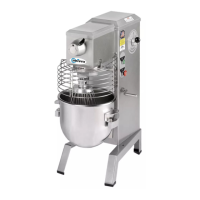
Before making electrical connections, check the electrical
specifications on the serial number and data plate located on
the left side of the mixer near the power cord entrance hole.
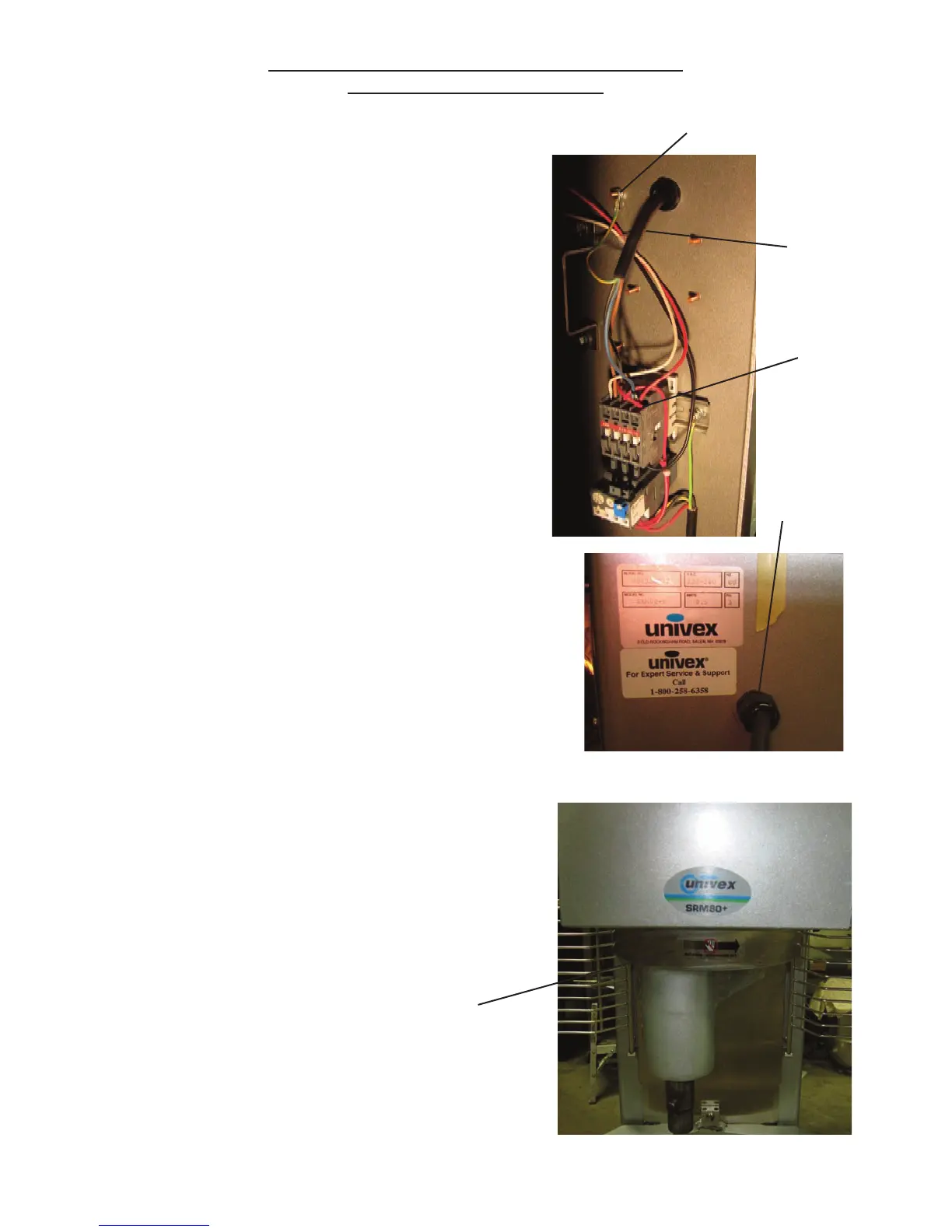
A hole and strain relief are provided on the left upper side
of the mixer housing for entrance of the power supply cord.
A ground connection lug is provided on the inside of the
mixer housing next to the hole.
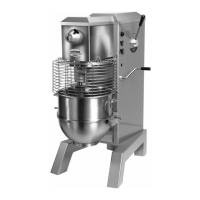
Three phase mixers must be connected so the beater head
turns in the direction of the arrow on the beater head
casting. To check the direction of rotation, turn the electrical
disconnect switch “ON”, place the timer on “HOLD” and
momentarily energize the mixer by pushing the green
“START” button then the red “STOP” button and verify the
direction of rotation.
If the rotation is incorrect, interchange any two of the power
supply leads (L1, L2 or L3)
NOTE:
It is not necessary to remove the top cover of the mixer to
preform the electrical installation. All electrical connections
may be made with only the rear access panel removed.
Ground Stud
Power Cord
(shipped
with mixer)
Power
Connection
L1, L2, L3
Serial number and data plate
Beater head direction of rotation
Page 10.1
Strain Relief


 To Next Page