130Index > Restarting, updating and resetting 130> Restarting, updating and resetting
Turning the oven on and off
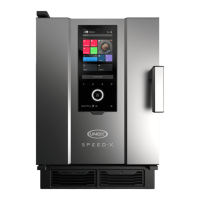
To turn the oven on and off, tap the
settings > Updating software > Update the software.
You can only update the software if there are no cooking or washing programs
Restoring factory settings
When starting the oven, tap the display repeatedly 5 times to turn on reset
mode.
• start the oven normally (start oven);
• restore the previous version of the software (restore previous software ver-
sion);
• restore the oven to factory settings (factory reset);
• access advanced commands (advanced options for Unox Service).


 To Next Page
 Loading...