
 Need help?
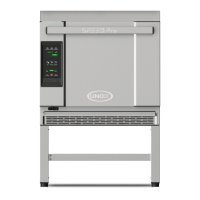
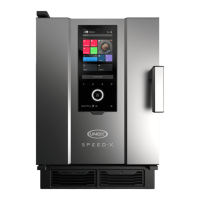
Do you have a question about the Unox SPEED-X and is the answer not in the manual?
Explains the meaning of various symbols used in the manual for safety and warnings.
Provides general precautions, user responsibilities, and operational safety guidelines.
Details the proper procedures for disposing of the appliance and its components.
Lists the directives and standards the product complies with for regulatory purposes.
Describes the unique cooking technologies and chamber features of the SPEED-X™ oven.
Explains the advanced operating system, hyperconnection, account, and widget features.
Illustrates and describes various touch gestures used for navigating the oven interface.
Provides a detailed explanation of the oven's home page navigation and interface elements.
Explains slider menus and how to set time and slider values using touch gestures.
Details UNOX Intelligence Performance technologies like SMART.Preheating and ADAPTIVE.Cooking.
Guides on how to prepare and start cooking using different modes like manual, multicooking, and recipes.
Explains how to monitor and edit cooking parameters while a cycle is active.
Details the information displayed at the end of a cooking cycle, including consumption.
Outlines the available actions after a cooking cycle, such as saving or repeating.
Lists safety measures to be taken before and during cleaning cycles and handling detergents.
Guides on selecting and starting appropriate wash programs based on dirtiness levels.
Explains the display during a wash cycle and important warnings.
Details the summary screen that appears after a wash cycle completes.
Provides step-by-step instructions on how to refill the Det&Rinse tank.
Guides on how to replace the RO.Care softener filter.
Explains how to use the Cooking Set app for manual and preset cooking programs.
Details how to browse, select, and manage recipes in the Library app.
Describes how to use Chefunox and Speedunox apps for cooking with UNOX chefs' recipes.
Explains how to use the MULTI.Time app for simultaneous cooking of different items.
Details how to use the MULTI.Speed app for accelerated cooking processes.
Provides links to sections on safety, starting, progress, and summary of washes.
Explains how to use the DDC app for activity data and oven consumption monitoring.
Lists options for cooking assistance, technical support, and digital training.
Outlines safety precautions and prohibitions when performing maintenance.
Provides instructions for cleaning the plate, trays, seals, air filter, tray, and external parts.
Details procedures for handling appliance inactivity and preparing for reuse.
Explains the proper methods for disposing of the appliance and its components.
Covers tasks like refilling detergent and replacing the RO.Care filter.
Instructions on how to download and install the Digital.ID™ application.
Guides on the process of creating a new Digital.ID™ account.
Steps for logging into an existing Digital.ID™ account.
Explains how to pair and connect your oven(s) to the Digital.ID™ app.
Describes the functionality of the navigation bar within the Digital.ID™ app.
Shows how to view, manage, and edit the list of connected ovens.
Details how to manage account information, security, and oven settings.
Explains the voice control technology and its capabilities for operating the oven.
Instructions on how to power the oven on and off.
Steps for updating the oven's software to the latest version.
Guides on how to restore the oven to its original factory settings.
Provides initial steps to take when the oven is not functioning correctly.
Information on accessing UNOX authorized technical assistance centers.
Details UNOX's extended warranty and service programs.
Information on how to contact technical support for assistance.
Provides UNOX S.p.A. contact details and address.
 General
| Model | SPEED-X |
|---|---|
| Power Supply | Electric |
| Frequency | 50/60 Hz |
| Control Panel | Digital |
| Steam Injection | Yes |
| Voltage | 400V |
| Temperature Range | 30-300°C |


 To Next Page