Section 3 - Troubleshooting I/O Board Dip Switch Settings
113101-000 MX15 / MX19 | Service Manual Page 3-5
3-5 I/O B
OARD
D
IP
S
WITCH
S
ETTINGS
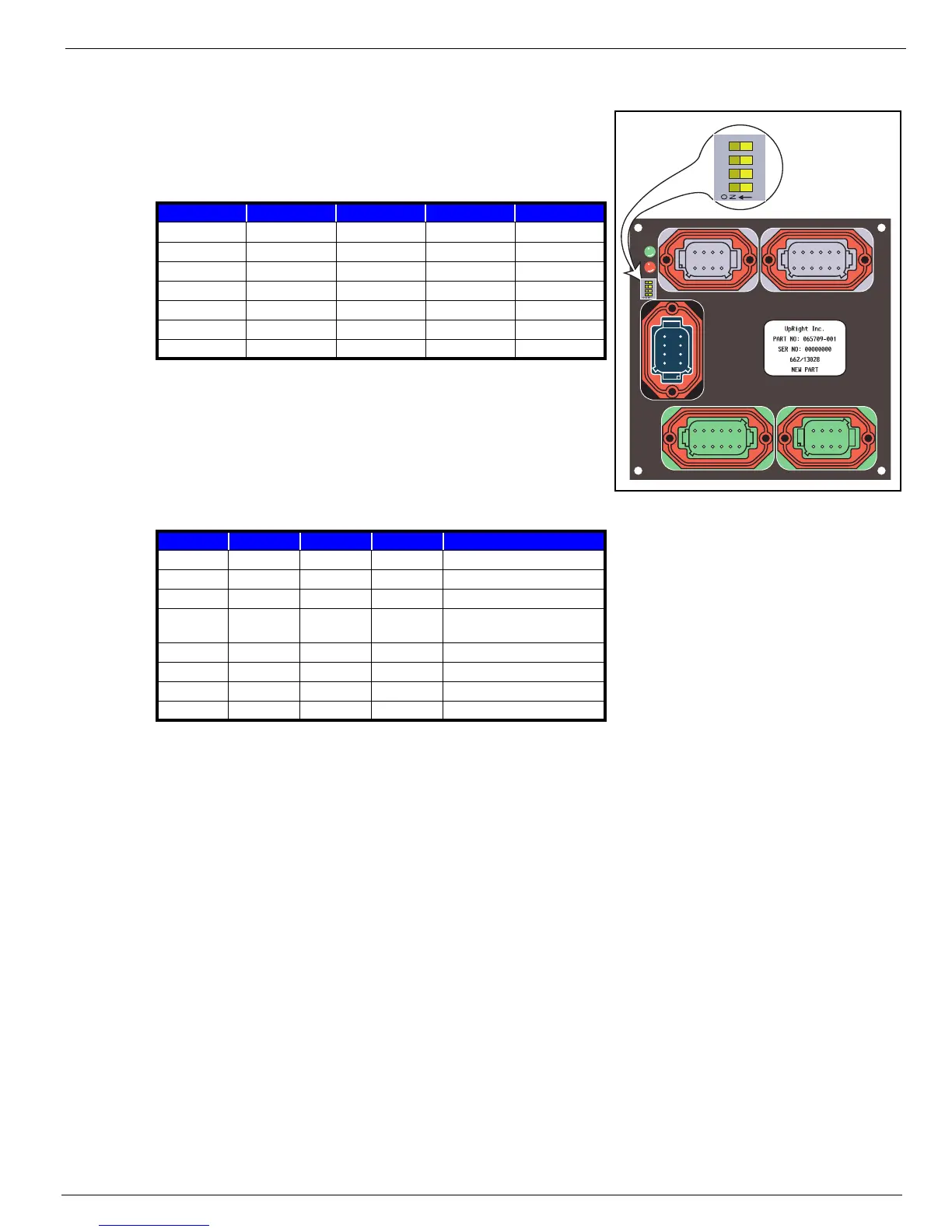
Figure 3-3:
I/O Board Dip Switch
D
EFAULT
S
ETTINGS
The table shows the default dip switch settings on the I/O
board when the machine leaves the factory.
O
PTIONAL
S
ETTINGS
The table shows the result of each switch setting on the I/O
board Dip Switch.
Switches 3 & 4 work together to determine the optional alarm settings.
1 2 3 4
MX15/19
OFF OFF OFF OFF
SL20 OFF OFF OFF OFF
TM12 OFF OFF OFF OFF
X20N OFF OFF OFF OFF
X20W OFF OFF OFF OFF
X26UN OFF OFF OFF OFF
X26/32 OFF OFF OFF OFF
1 2 3 4 RESULT
ON — — — Two Speed Mode (not used)
OFF — — — Proportional Control
— ON — — not used
—OFF— —
Depression Mechanism extends
when platform is raised
— — OFF OFF Down alarm only
— — ON OFF Down and Reverse alarm
— — OFF ON Drive and Down alarm
— — ON ON All Motion alarm
1234
8765
1234
8765
1234
12 11 10 9
56
87
1234
12 11 10 9
56
87
1234
8765
4321
4321



 To Next Page