2
Figure 2: Controller
position and fully elevate platform.
12. Visually inspect the elevating assembly for
damage or erratic operation. Check for missing or
loose parts.
13. Verify that depression mechanism supports have
rotated into position under machine.
12. Partially lower the platform by pushing Chassis
Lift Switch to DOWN, and check operation of
the audible lowering alarm.
13. Open the Chassis Emergency Lowering Valve
(Figure 3) to check for proper operation, by
pulling the knob out. When the platform is
lowered, release the knob.
14. Turn the Chassis Key Switch to DECK.
15. Close and latch module doors.
16. Check that route is clear of persons, obstruc-
tions, holes and drop-offs, level and capable of
supporting the wheel loads.
17. After mounting platform latch chain across
entrance.
18. Pull Emergency Stop Button out to the ON
position.
19. Position Drive/Lift Switch to DRIVE.
20. While depressing the Interlock Lever, slowly
position the Control Lever to FORWARD then
REVERSE to check for speed and directional
control. The farther you push or pull the Control
Lever from center the faster the machine will
travel.
21. Push Steering Switch RIGHT then LEFT to
check for steering control.
22. Push the Emergency Stop Switch Button.
Introduction
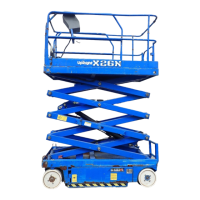
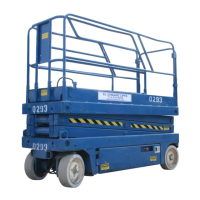
This manual covers the MX15/19 Work Platforms.
This manual must be stored on the machine at
all times.
Pre-Operation and Safety
Inspection
Read, understand and follow all safety rules
and operating instructions and then perform
the following steps each day before use.
1. Open modules and inspect for damage, oil
leaks or missing parts.
2. Check the level of the hydraulic oil with the
platform fully lowered. The hydraulic reservoir
is located at the rear of the machine. Remove
the reservoir cap, oil should be visible on the
dipstick. Add ISO #46 hydraulic oil if necessary.
3. Check that fluid level in the batteries is correct
(See Battery Maintenance, Page 6).
4. Verify batteries are charged.
5. Check that A.C. extension cord has been
disconnected from the plug in the right Chassis
Module (Figure 4) and the module door secured.
6. Check that all guardrails are in place and all
fasteners are properly tightened.
7. Carefully inspect the entire work platform for
damage such as cracked welds or structural
members, loose or missing parts, oil leaks,
damaged cables or hoses, loose connections
and tire damage.
8. Move machine, if necessary, to unobstructed
area to allow for full elevation.
9. Turn Chassis and Platform Emergency Stop
Switches ON (Figure 1 & 2) by pulling the
button out.
10. Turn the Chassis Key Switch (Figure 1) to
CHASSIS.
11. Push Chassis Lift Switch (Figure 1) to UP
Figure 1: Chassis, Right Side
Chassis Lift
Switch
Chassis
Emergency
Stop Switch
Pothole Protection
Support
Key Switch
Steering
Switch
Interlock Lever
Control Lever
Drive/Lift
Switch
Emergency
Stop Switch


 To Next Page
 Loading...